
For straightforward departmental runs, native SAP Crystal Server publications handle bursting adequately. For anything production-grade — reliable retries, audit trails, dynamic filenames, and monitored delivery — ChristianSteven Software's CRD (Crystal Reports Distributor) is the faster, safer path. Here's how to get either working:
- Design first: Group your report on the correct field (customer ID, account number, region) before touching any server config.
- Configure your server: Verify Adaptive Job Server destinations and SMTP settings in the CMC before scheduling a single run.
- Build your burst file: Create a parameter-driven recipient list with dynamic filename formulas.
- Set your destination: Choose email, disk, SFTP, or network share and confirm write permissions.
- Monitor from day one: Log every run, capture delivery status per recipient, and set up alerts for failures.
If you need a working burst-and-deliver pipeline this week, CRD cuts setup time significantly because it handles retries, logging, and credential management out of the box.
Key Takeaways
Reliable Crystal Reports bursting requires the right burst method, a well-designed report, verified destinations, and monitoring from the first production run.
| Point | Details |
|---|---|
| Match burst method to security needs | Use batch fetch for large lists; reserve per-recipient fetch only when row-level security is mandatory. |
| Design the report before configuring the server | Grouping, filename formulas, and subreport minimization must be correct before any server job runs. |
| Verify three things before go-live | Confirm destination permissions, SMTP connectivity, and database query load with your DBA. |
| Monitoring and retries are mandatory at scale | Log every run with per-recipient status; configure automatic retries for transient SMTP and DB failures. |
| CRD handles what native server bursting can't | ChristianSteven Software's CRD adds retries, audit logging, data-driven scheduling, and SOC 2 compliance for enterprise deployments. |
Table of Contents
- How does native SAP Crystal Server bursting work?
- When should you use CRD instead of native server bursting?
- How do you schedule bursts safely and handle errors?
- What are the most common bursting errors and how do you fix them?
- The case for taking bursting seriously from the start
- CRD gives you hands-free enterprise bursting with full visibility
- Useful sources and further reading
- FAQ
How does native SAP Crystal Server bursting work?
SAP Crystal Reports Server (and its successor versions) handles bursting through its Publications feature in the Central Management Console (CMC). A publication is essentially a scheduled job that applies personalization rules to split one report into recipient-specific outputs.
The three bursting methods
SAP Crystal Server publications support three bursting methods, each presenting a clear performance and security trade-off:
| Bursting Method | Database Fetches | Best For | Trade-off |
|---|---|---|---|
| One fetch for all recipients | 1 | Large lists, no row-level security needed | All recipients see the same base data pull |
| One fetch per batch | 1 per batch | Balanced load, moderate recipient counts | Slightly more complex to configure |
| One fetch per recipient | 1 per recipient | Strict row-level security requirements | Heaviest database load by far |
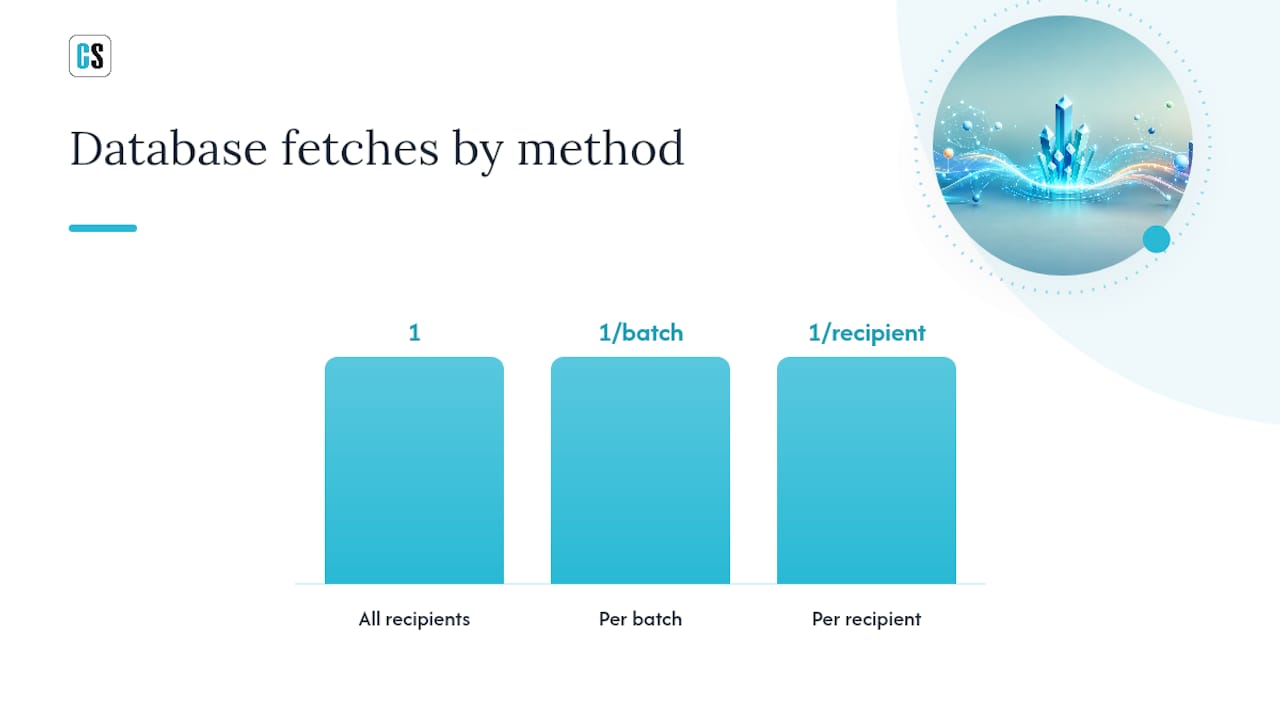
Pro Tip: For large recipient lists, prefer the batch fetch method unless your security model requires row-level isolation. Per-recipient fetches can overwhelm your database server at scale — a lesson most admins learn the hard way on their first large production run.
Configuring a publication in the CMC
SAP's admin documentation covers CMC configuration, including Adaptive Job Server destinations and SMTP settings for scheduled email exports. The minimal working setup follows these steps:
- Open the CMC and navigate to Publications.
- Create a new publication and select your Crystal Report as the source document.
- Under Source Documents, set the personalization/profile resolution field (the field that drives the split, such as Customer ID).
- Go to Destinations and add your target: Email, Disk, or another supported destination.
- For email delivery, configure the Email Destination with your SMTP server address, port, sender address, and authentication credentials.
- Set the Adaptive Job Server destination settings: confirm the server has the Email destination enabled under Servers > Core Services > Adaptive Job Server > Destinations.
- Define the attachment filename using trip sequences (placeholders like
{SI_NAME}or{SI_STARTTIME}) so each file gets a unique, meaningful name. - Set the schedule (recurrence, start time) and save.
Crystal Reports Server supports trip sequences in subject lines, message bodies, and attachment filenames when an Email Destination is configured, giving you basic dynamic naming without custom code.
Native server limitations to plan around
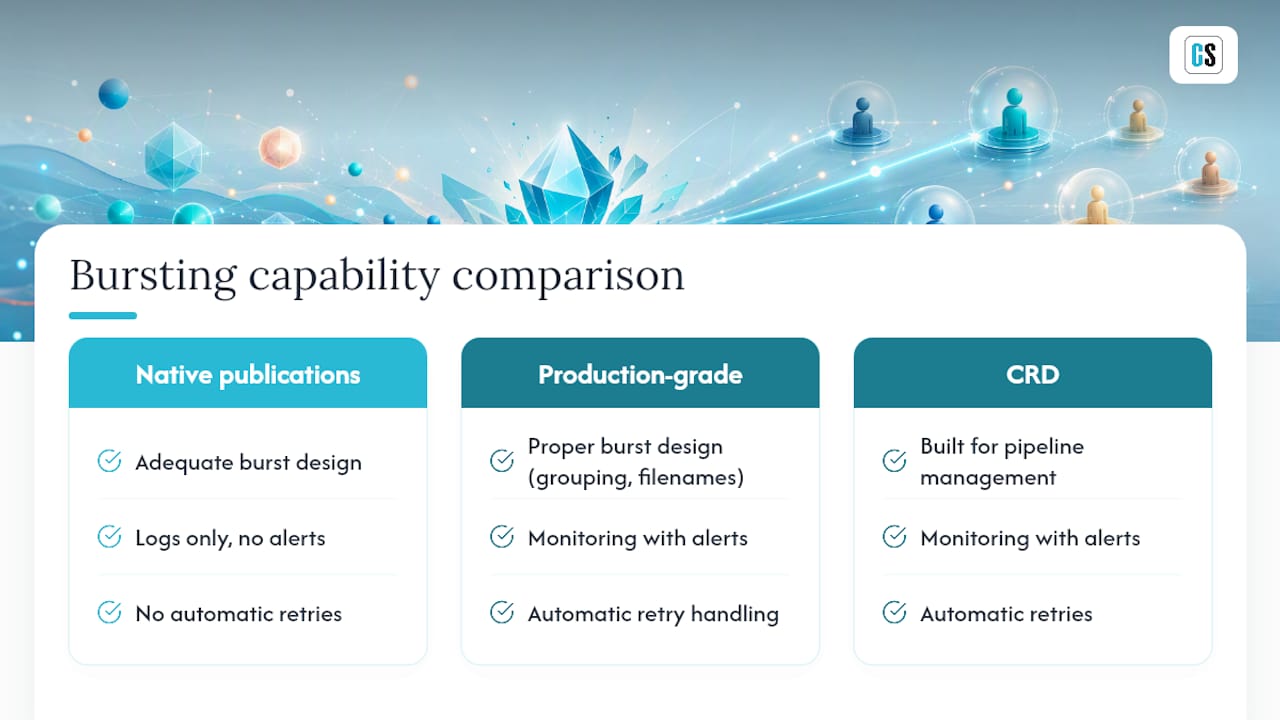
Native publications work, but they have real gaps in production environments. Retry logic is minimal — if an SMTP server is temporarily unavailable, the job fails without automatic rescheduling. Filename personalization is limited to the available trip sequences, which may not match your naming convention. Monitoring is basic: you get a job status in the CMC, but no per-recipient delivery confirmation or alerting. For small, stable environments, that's manageable. For anything running hundreds of recipients nightly, those gaps become operational risks.
When should you use CRD instead of native server bursting?
Native server bursting covers the basics. CRD covers everything else.
ChristianSteven Software's Crystal Reports Distributor (CRD) is purpose-built for production bursting at scale. The gap between the two becomes obvious the first time a native publication fails silently at 2 AM and nobody knows until the CFO asks why statements didn't arrive.
When CRD is the right call
Choose CRD over native server bursting when you need:
- SOC 2 Type II compliance: ChristianSteven Software's SOC 2 Type II certification supports regulated-industry deployments where audit trails and security controls are mandatory.
A sample CRD bursting workflow
| Step | Action | CRD Feature Used |
|---|---|---|
| 1. Publish report | Point CRD at the .rpt file or Crystal Server publication | Report source configuration |
| 2. Define burst list | Load a CSV or database query with recipient IDs and email addresses | Data-driven schedule / burst file |
| 3. Set export format | Choose PDF, Excel, CSV, or Word per recipient group | Format selector |
| 4. Configure delivery | Set email destination with SMTP credentials, attachment filename formula | Email destination setup |
| 5. Add secondary destinations | Add SFTP or disk folder for archiving | Multi-destination config |
| 6. Set retry policy | Define retry count and interval for transient failures | Retry / backoff settings |
| 7. Schedule and monitor | Set recurrence, enable alerting, review run logs | Scheduler + monitoring dashboard |
CRD also supports embedding reports directly in email bodies rather than as attachments, mailing list management, and Insert-based personalization for message body content — details that matter when recipients expect a polished, branded communication rather than a generic attachment.
For a deeper look at automating Crystal Reports end to end, ChristianSteven's knowledge base covers the full configuration path.
How do you schedule bursts safely and handle errors?
Scheduling a burst is easy. Scheduling it so it doesn't take down your database or fill someone's inbox with duplicate emails at 3 AM takes more thought.
Scheduling patterns that hold up at scale:
- Stagger large bursts across time windows rather than firing all recipients simultaneously.
- Use off-peak scheduling (late night or early morning) for database-heavy runs.
- Set dependency triggers where possible: start the burst only after the ETL job that feeds the report has completed.
- For batch Crystal Reports scheduling, group recipients into batches of manageable size rather than running one massive job.
Logging every run is non-negotiable. Store run metadata including start time, end time, recipient count, success count, failure count, export file checksums, and any error messages. That log is your first resource when a recipient claims they didn't receive their report — and your defense when an auditor asks for proof of delivery.
Retry and backoff for transient errors:
- Catch SMTP timeouts and retry after 5 minutes, up to 3 attempts.
- For database connection failures, wait 10 minutes before retrying to allow the DB server to recover.
- Log each retry attempt with a timestamp and error code.
- After exhausting retries, send an alert to the admin team rather than silently dropping the delivery.
Pre-production checklist:
- Run a capacity test with your DBA: simulate the query load of your full recipient list against the production database.
- Verify that the service account running the burst job has write access to all destination folders.
- Rate-limit email bursts to avoid triggering spam filters or hitting SMTP server send limits.
- Confirm that your SMTP server's send-per-hour limit exceeds your peak burst volume.
What are the most common bursting errors and how do you fix them?
Most bursting failures fall into a small set of categories. Knowing where to look cuts resolution time from hours to minutes.
Authorization and database logon failures
- Symptom: Job fails immediately with "Logon failed" or "Database connection error."
- Fix: Verify the database credentials stored in the publication or CRD job. Crystal Reports stores credentials separately from the report file in server contexts — update them in the CMC or CRD job settings, not just in the .rpt file.
- Log location: Adaptive Job Server logs (Windows Event Log or the SAP server log directory).
SMTP send errors
- Symptom: Report exports successfully but email delivery fails; error references port 25 or authentication.
- Fix: Confirm SMTP host, port (587 for TLS, 465 for SSL, 25 for unauthenticated), and credentials. Test SMTP connectivity from the server running the job using a telnet or PowerShell test before blaming the report.
- Log location: CRD delivery logs or Adaptive Job Server email destination logs.
File permission failures
- Symptom: Export to disk or network share fails with "Access denied."
- Fix: The service account needs write permission on the destination folder. Check both share permissions and NTFS permissions — both must allow write access.
Malformed filename errors
- Symptom: Job fails or creates files with garbled names; sometimes the file is created but can't be opened.
- Fix: Audit your filename formula for illegal characters. Test the formula output using Crystal Reports' formula editor before deploying. Keep total path length under 260 characters.
Memory or timeout errors during large bursts
- Symptom: Job runs for a while, then crashes or hangs; server memory spikes.
- Fix: Reduce batch size, add subreport suppression, and engage your DBA to review query execution plans. Per-recipient fetch mode on large lists is the most common cause of this pattern.
When per-recipient queries are locking tables or causing timeouts, that's a DBA conversation, not just a Crystal Reports configuration fix.
The case for taking bursting seriously from the start
Most teams treat report bursting as a configuration task and move on. That's the wrong frame. Bursting is a delivery pipeline, and like any pipeline, it fails in ways that aren't obvious until something important doesn't arrive.
The pattern I see repeatedly in enterprise environments: a team sets up native server publications, it works fine for the first few months, and then a database upgrade or SMTP server change breaks the job silently. Nobody notices until a VP asks why their regional managers haven't received statements in three weeks. At that point, there are no logs, no retry history, and no clear owner.
The teams that avoid this invest in three things upfront: a proper burst design (grouping, filename formulas, subreport discipline), a monitoring layer that alerts on failures rather than just logging them, and a tool that handles retries automatically. Native Crystal Server publications check the first box adequately. They don't check the other two.
That's not a criticism of SAP's product — it's a scope issue. Publications were designed for scheduled distribution, not for production-grade pipeline management. CRD was designed specifically for the latter, which is why it's the right choice for any organization running bursts that people depend on.
The other thing worth saying: don't wait until you're at 500 recipients to think about database load. The per-recipient fetch method that works fine at 50 recipients can bring a database server to its knees at 300. Test at scale before you schedule at scale.
CRD gives you hands-free enterprise bursting with full visibility
Manually managing Crystal Reports bursting at scale costs your team hours every week in monitoring, troubleshooting, and re-running failed jobs. CRD from ChristianSteven Software eliminates that overhead by handling retries, per-recipient delivery logging, and data-driven scheduling automatically, all within an on-premises deployment that keeps your data inside your network.

CRD supports every destination covered in this article: email (SMTP/MAPI with embedded or attached reports), disk folders, SFTP, and network shares. Dynamic filename formulas, mailing list management, and Insert-based email personalization are built in, not bolted on. And with SOC 2 Type II certification, CRD meets the security and audit requirements that regulated industries demand.
Start a free trial or request a demo of the Crystal Reports scheduler and see how quickly a production burst pipeline comes together when the infrastructure is already built for it.
Useful sources and further reading
- Crystal Reports Driver Guide — Export the Report in an E-Mail Message (Creating a Report and Defining the Report Properties)
- Report Bursting with SAP Crystal Reports Server 2008 — MyXcelsius.Com
- How do I set up an Email Destination in CRD? (ChristianSteven knowledge base)
- How to Burst Crystal Reports by Email (LinkedIn article — Christian Ofori-Boateng)
- Crystal Reports sending report to email (forum thread)
- ChristianSteven Software (brand site)
FAQ
What is report bursting in Crystal Reports?
Report bursting runs one Crystal Report repeatedly against different parameter values or group filters to produce separate output files for each recipient or group. The result is individualized, automatically delivered reports without manual re-running.
Is Crystal Reports being phased out?
SAP has shifted its primary BI investment toward SAP Analytics Cloud, but Crystal Reports remains in active use across thousands of organizations and continues to receive maintenance updates. Many enterprises run Crystal Reports alongside newer platforms rather than replacing it outright.
What is replacing Crystal Reports?
SAP Analytics Cloud is SAP's stated direction for new BI development, but Crystal Reports has no single universal replacement. Organizations with mixed environments often continue running Crystal Reports for operational reporting while adopting Power BI, Tableau, or SAP Analytics Cloud for self-service analytics.
Does anyone still use Crystal Reports?
Yes, widely. Crystal Reports remains common in finance, manufacturing, healthcare, and government sectors where it is embedded in ERP systems or legacy applications. The installed base is large enough that tools like ChristianSteven Software's CRD are built specifically to automate and extend Crystal Reports workflows.
How do I choose between native server bursting and CRD?
Use native SAP Crystal Server publications for simple, low-volume bursting where basic scheduling and email delivery are sufficient. Choose CRD when you need automatic retries, per-recipient delivery logging, data-driven scheduling, or SOC 2 compliance for regulated environments.