
TL;DR:
- On-premises BI report scheduling tools like PBRS, ATRS, CRD, and IntelliFront BI keep data and credentials within your own infrastructure. These solutions offer data-driven bursting, multi-platform delivery, and precise event triggers, surpassing cloud workflow platforms for enterprise needs. They ensure compliance, governance, and high-volume processing without licensing or scalability limitations.
For enterprise BI report scheduling, formatting, and automated delivery, the strongest on-premises alternatives to Power Automate are ChristianSteven Software's purpose-built product family: PBRS for Power BI and SSRS, ATRS for Tableau, CRD for Crystal Reports, and IntelliFront BI for real-time dashboards and KPIs. Each installs inside your network, keeps data and credentials on your own infrastructure, and handles the scheduling and delivery workloads that cloud workflow platforms struggle to scale.
Why this family over a cloud workflow tool for BI reporting?
- Data residency: PBRS processes and stores report data on your server, never routing report content through external infrastructure.
- Event-triggered workflows: Schedules fire when a dataset refresh completes, a KPI crosses a threshold, or a business event occurs, not just on a clock.
- Data-driven bursting: Filters, parameters, destinations, and output formats all read from a database table at runtime, no Enterprise SQL license required.
- Multi-destination delivery: Email, file share, SFTP, SharePoint, Teams, Slack, Google Drive, and database blobs, from a single schedule definition.
- Pixel-perfect exports: PDF, Excel, CSV, and PowerPoint outputs with encryption and password protection built in.
"Instead of people chasing data, data shows up, reliably, securely, and on time, wherever stakeholders work." — ChristianSteven Software, Tableau scheduling guide
ChristianSteven Software holds SOC 2 Type II certification, carries more than 20 years of enterprise deployment experience, and offers a free trial and demo for all four products.
Table of Contents
- Which ChristianSteven product fits your BI platform?
- Why on-premises BI schedulers outperform cloud workflow tools for enterprise reporting
- How to evaluate and select an on-premises BI report automation solution
- What enterprise BI automation looks like in practice
- How to run a pilot and what it will cost
- Key Takeaways
- The case for centralizing BI distribution before you scale
- ChristianSteven Software covers the full enterprise BI delivery stack
- Useful sources
- FAQ
Which ChristianSteven product fits your BI platform?
| BI Platform | ChristianSteven Product | Key Scheduling Types | Output Formats | Delivery Destinations |
|---|---|---|---|---|
| Power BI Service / PBIRS / SSRS | PBRS | Time-based, event-triggered, data-driven | PDF, Excel, CSV, PowerPoint, pixel-perfect | Email, file share, SFTP, SharePoint, Teams, Slack, cloud storage, DB blobs |
| Tableau | ATRS | Time-based, event-triggered, data-driven | PDF (secure), Excel, embedded email | Email, Slack, Teams, FTP, cloud storage |
| Crystal Reports | CRD | Time-based, data-driven | PDF (encrypted), Excel, Word, HTML | Email, file share, SFTP, FTP, printer |
| Real-time dashboards / KPIs | IntelliFront BI | Event-triggered, threshold-based | Web dashboards, PDF snapshots | Browser, email alerts, embedded portals |
Fit-for-purpose scenarios at a glance:
- High-volume finance bursting (thousands of personalized PDFs per close cycle): PBRS with data-driven schedules reading from a SQL table.
- Executive dashboard delivery to Teams: IntelliFront BI for live KPIs; PBRS or ATRS for scheduled snapshot emails.
- Tableau embedded email reports: ATRS embeds report content directly in the email body, increasing engagement versus attachment-only delivery.
- Crystal Reports compliance archive: CRD with encrypted PDF output routed to a governed file store.
- Operational alerts on KPI breach: IntelliFront BI or PBRS event triggers firing delivery the moment a threshold is crossed.
Why on-premises BI schedulers outperform cloud workflow tools for enterprise reporting
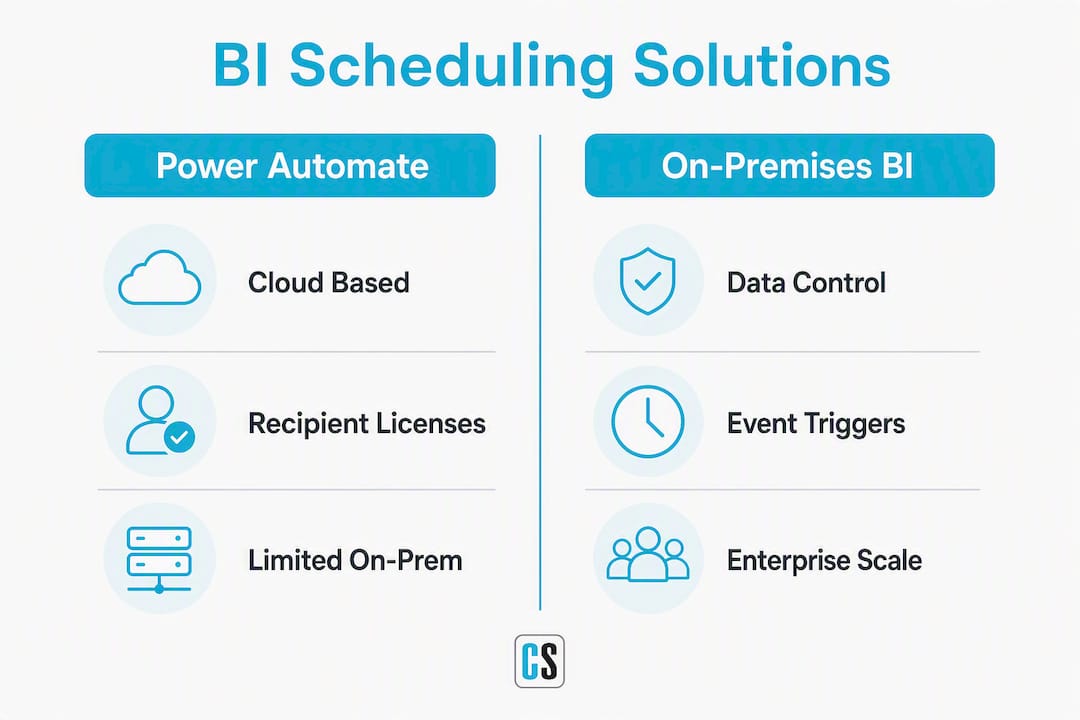
The core argument is straightforward: an on-prem scheduler keeps your data, credentials, and audit trail inside the network you already govern. A cloud workflow platform routes report content through external endpoints, which adds data-residency risk and complicates compliance for regulated industries.
Beyond residency, there are four operational reasons large organizations choose dedicated on-prem schedulers over cloud workflow alternatives:
- Credential custody: Service accounts authenticate against your BI platform from inside the network. No personal OAuth tokens, no gateway credential refresh cycles.
- Governance and auditability: Centralizing distribution on a single scheduler produces a unified audit log across Power BI, Tableau, SSRS, and Crystal Reports, eliminating the metric inconsistency that appears when teams run unmanaged native subscriptions in parallel.
- Event-driven precision: Schedules that fire on dataset refresh completion or KPI threshold crossing eliminate the latency gap between data availability and report delivery.
- Bursting without licensing overhead: Data-driven subscriptions in native SSRS require an Enterprise SQL Server license. PBRS and ATRS replicate that capability without the licensing constraint.
Cloud workflow platforms do have real trade-offs for this use case: recipient-count licensing can become expensive at enterprise scale, gateway throughput limits cap concurrency, and maintaining custom flows for pixel-perfect PDF formatting adds ongoing engineering overhead.
Pro Tip: Always schedule exports to fire at least 10–15 minutes after your dataset refresh window closes. Scheduling too close to the refresh completion time is the most common cause of stale report deliveries in production environments.

How to evaluate and select an on-premises BI report automation solution
Prioritize platform fit first, then scheduling modes, security, scalability, and operational manageability. A tool that cannot connect natively to your BI platform fails before the pilot starts.
Numbered evaluation checklist:
- Confirm native support for your BI platforms (Power BI Service, PBIRS, SSRS, Tableau, Crystal Reports).
- Verify all three scheduling modes: time-based, event-triggered, and data-driven bursting from a database table.
- Check output formats: PDF with encryption, Excel with password protection, pixel-perfect rendering at volume.
- Map required delivery destinations: email, file share, SFTP, SharePoint, Teams, Slack, cloud storage.
- Test event triggers: dataset refresh completion, KPI threshold, and external API call.
- Review logging and audit: per-delivery status, failure alerts, and exportable audit trail.
- Confirm service-account authentication support and SSO/AD integration.
- Evaluate REST API coverage for integration with ETL pipelines and ticketing systems.
- Clarify the licensing model: perpetual vs. subscription, per-server vs. per-processor.
- Confirm SLA tiers, support response times, and upgrade/patching cadence.
Vendor questions worth asking in a demo:
- Run a live data-driven burst with a large number of recipients from a SQL table.
- Show an event-trigger flow firing on a simulated dataset refresh.
- Pull the audit trail for a failed delivery and demonstrate the retry mechanism.
- Share concurrency limits and throughput benchmarks for your server class.
Red flags to watch for: schedules tied to personal user credentials (breaks when staff change roles), no centralized audit log, fewer than five delivery destination types, and licensing models that obscure per-processor costs.
ChristianSteven Software's enterprise scheduling architecture guide compares native platform features, cloud workflow flows, and on-prem schedulers side by side, which makes it a practical reference for procurement scoring.
Trust signals to verify during procurement: SOC 2 Type II certification, 20+ years of enterprise deployment experience, published case studies, and availability of a sandbox or trial environment for load testing.
What enterprise BI automation looks like in practice
Finance close pack. At month-end, PBRS reads a SQL table of cost-center codes, generates a separate password-protected PDF for each entity, and archives every file to a compliance file store, all without manual intervention. Auditors get a timestamped delivery log. The finance team gets their close pack before they arrive at their desks.
Executive distribution. A daily schedule pushes role-filtered Power BI snapshots to a Teams channel and a parallel email list. Senior leaders see the full P&L; regional managers see only their segment. One schedule definition, data-driven filtering, zero manual exports.
Retail regional bursting. A single Tableau report splits into thousands of store-level outputs. ATRS routes each output to a region-specific folder or recipient list, with secure PDF and embedded email options for field managers who prefer not to log in to Tableau Server.
Operational event triggers. When an ETL job signals completion or a KPI crosses a defined threshold, PBRS or ATRS fires immediately, delivering a near-real-time alert report to the on-call team. No polling, no waiting for the next scheduled window.
Validate pilot success by measuring end-to-end latency from trigger to inbox, error rate per 1,000 deliveries, and whether every recipient received the correct filtered output. Those three metrics tell you whether the tool is production-ready.
How to run a pilot and what it will cost
A focused pilot covering install, connection, and a sample data-driven burst can validate fit in 2–8 weeks, depending on environment complexity and the number of BI platforms in scope.
Step-by-step pilot checklist:
- Size the server or VM: confirm CPU, RAM, and disk meet the product's minimum specs for your expected burst volume.
- Create scoped service accounts with the minimum permissions needed for each BI platform connection.
- Connect to BI sources (Power BI Service, PBIRS, SSRS, Tableau, or Crystal Reports) and confirm report rendering.
- Build a data-driven burst schedule reading from a test SQL table; validate filtered outputs per recipient.
- Test each delivery channel in scope: email, file share, SharePoint, Teams.
- Run a load test at 110% of expected peak volume; record throughput and error rates.
- Conduct a governance review: audit log completeness, failure alerts, and retry behavior.
- Train report owners on schedule creation and monitoring; document runbooks for the operations team.
Typical timeline:
- Weeks 1–2: Install, service account setup, and BI source connections.
- Weeks 2–4: Build and test schedules, including data-driven bursting.
- Weeks 4–6: Load testing and security review.
- Weeks 6–8: Production rollout and report-owner training.
Primary cost drivers: license model (perpetual vs. subscription), number of server or worker nodes, implementation consulting hours, storage and archival costs for compliance outputs, and the support SLA tier selected. Dedicated worker nodes for high-volume bursting are the most common unplanned cost in initial budgets.
Key Takeaways
On-premises BI report automation tools like PBRS, ATRS, CRD, and IntelliFront BI are the enterprise-grade alternatives to Power Automate for organizations that need data residency, data-driven bursting, and governed multi-platform delivery.
| Point | Details |
|---|---|
| Match product to platform | PBRS covers Power BI/SSRS, ATRS covers Tableau, CRD covers Crystal Reports, IntelliFront BI handles dashboards. |
| Require service-account auth | Personal credentials break schedules when staff change roles; scoped service accounts prevent this. |
| Validate bursting at volume | Run a load test above your expected peak before production rollout to confirm throughput and error rates. |
| Plan a multi-week pilot | Install, connect, burst, load-test, and govern within this window to confirm production readiness. |
| ChristianSteven Software | SOC 2 Type II certified, 20+ years of enterprise experience, with free trials and demos available for all four products. |
The case for centralizing BI distribution before you scale
Most organizations underestimate how quickly unmanaged native subscriptions multiply. A Power BI workspace here, a Tableau schedule there, a Crystal Reports job someone set up three years ago, and suddenly no one can answer which version of revenue the board saw last Tuesday. That is not a technology problem. It is a governance problem that technology can solve.
Centralizing distribution on a single on-prem scheduler does two things that matter at scale. First, it creates one audit trail covering every platform, so a compliance question gets answered in minutes, not days. Second, it forces schedule ownership: every delivery has a named owner, a defined recipient list, and a logged outcome. When something fails, you know immediately and can act.
The practical advice I would give any IT manager starting this evaluation: do not pilot with a toy dataset. Run your actual month-end burst volume in week two of the proof-of-concept. If the tool handles that load cleanly, with full audit logging and zero stale outputs, it is production-ready. If it struggles in a controlled pilot, it will struggle worse in production.
Scoped service accounts are non-negotiable. A schedule tied to a personal credential is a schedule waiting to break. Set up dedicated service accounts with minimum required permissions from day one, and your operations team will thank you six months later when someone leaves the company.
ChristianSteven Software covers the full enterprise BI delivery stack
When your reporting environment spans Power BI, Tableau, SSRS, and Crystal Reports, managing four separate native schedulers creates exactly the governance gap described above. ChristianSteven Software closes it with a product for each platform, all carrying the same SOC 2 Type II security posture and backed by more than 20 years of enterprise deployment experience.

PBRS handles Power BI and SSRS bursting at scale, with data-driven schedules, event triggers, and pixel-perfect PDF exports. ATRS automates Tableau report scheduling with embedded email delivery, watermarking, and secure PDF options. CRD manages Crystal Reports distribution with encrypted outputs and compliance archiving. IntelliFront BI delivers real-time dashboards and KPI alerts without requiring end users to log in to a BI platform.
Every product ships with enterprise support SLA options, published case studies, and a free trial. Schedule a demo or request a sandbox environment to run a two-week bursting test with your own data before committing to a license.
Useful sources
- PBRS: Power BI Report Scheduler
- ATRS: Advanced Tableau Report Scheduler
- CRD: Crystal Reports Scheduler
- IntelliFront BI: Dashboards and KPIs
- How To Automate Power BI Report Scheduling and Delivery for Enterprise Reporting
- Automating and Scheduling Report Generation with BI Tools
- How To Schedule Tableau Report Delivery for Reliable, Automated Insights
- How To Schedule Power BI Reports for Enterprise-Grade Delivery
- On-Premises Business Intelligence Software: How To Choose a Secure, Scalable Solution
Reading order for pilots: product overview page → enterprise scheduling guide → platform-specific how-to → deployment checklist.
FAQ
What makes on-prem BI schedulers better than Power Automate for report delivery?
On-prem schedulers keep data and credentials inside your network, support data-driven bursting without Enterprise SQL licensing, and provide a unified audit log across multiple BI platforms, capabilities that cloud workflow tools do not match at enterprise scale.
Which ChristianSteven product should I use for Power BI scheduling?
PBRS is the purpose-built solution for Power BI Service, Power BI Report Server, and SSRS, supporting time-based, event-triggered, and data-driven schedules with pixel-perfect PDF and Excel exports.
How long does a typical pilot take?
A focused pilot covering install, connection, data-driven bursting, and load testing typically runs 2–8 weeks depending on environment complexity and the number of BI platforms in scope.
Does ChristianSteven Software hold any security certifications?
ChristianSteven Software maintains SOC 2 Type II certification and has more than 20 years of enterprise deployment experience across regulated industries.
Can these tools deliver reports to Microsoft Teams and Slack?
Yes. PBRS and ATRS both support delivery to Teams and Slack alongside email, file share, SFTP, SharePoint, Google Drive, and database blob destinations.