
TL;DR:
- Most teams start with Power BI Service scheduling and use Power Automate for event-driven workflows. For enterprise-scale exports, regulated delivery, or on-premises requirements, PBRS provides an on-premises scheduler with full audit and data-driven scheduling.
For most teams, the practical starting stack is Power BI Service scheduling for routine refreshes, Power Automate for event-driven alerts and cross-system workflows, and the Power BI REST API with PowerShell for scripted CI/CD deployments. When your organization needs guaranteed PDF/Excel delivery, complex data-driven schedules, or on-premises regulated distribution, PBRS by ChristianSteven Software is the enterprise-grade scheduler built for exactly that.
Quick verdict by use case:
- Scheduled data refreshes: Power BI Service (Pro: up to 8 refreshes per day; Premium: up to 48 refreshes per day)
- Event-driven alerts and cross-app workflows: Power Automate
- Scripted CI/CD deployments and workspace promotion: Power BI REST API + PowerShell + deployment pipelines (ms-pbi-api Azure DevOps extension)
- Enterprise on-prem exports with SLA guarantees: PBRS (ChristianSteven Software)
Most teams should start with native Power BI Service scheduling and add Power Automate for anything alert-driven. If you're running regulated delivery, large-scale formatted exports, or need an audit trail, evaluate PBRS before you try to stretch cloud-native tools past their limits.
Table of Contents
- What does Power BI automation actually cover?
- Which Power BI automation tools should you actually use?
- How to implement the most common automation patterns
- Licensing, scale limits, and gotchas that will change your design
- How do you choose the right automation approach?
- Why PBRS is a practical enterprise choice for Power BI
- Key Takeaways
- The case for a deliberate automation stack
- PBRS handles the delivery scenarios your current stack can't
- Authoritative docs and guides for implementation
- FAQ
What does Power BI automation actually cover?
"Power BI automation" means different things depending on who you ask, so it's worth pinning down the three practical dimensions before picking tools.
Data refresh is the most common starting point: keeping datasets current by triggering refreshes on a schedule or on demand. This requires the Power BI On-Premises Data Gateway whenever your source data lives outside the cloud.
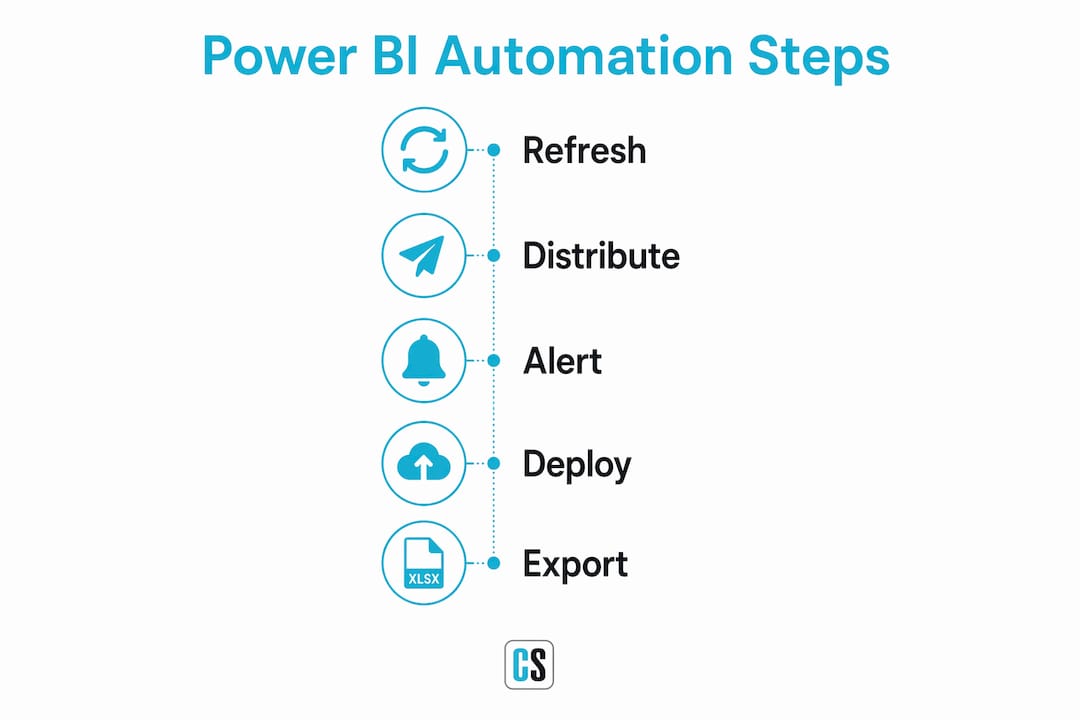
Distribution and exports covers everything downstream of a fresh dataset: email subscriptions, app delivery, paginated report exports to PDF or Excel, and pushing files to SharePoint, Teams channels, or SFTP. This is where native Power BI Service subscriptions start to show their limits, and where tools like Power Automate and PBRS earn their keep.
Alerts and event-driven actions are the third dimension: triggering a workflow when a KPI crosses a threshold, a dataset refresh fails, or a business event fires. Power Automate handles most of this through its Power BI connector.
What this article does not cover: ad-hoc data prep, full ETL platform selection, or dataflow orchestration beyond what's needed to understand refresh scheduling. The focus stays on report automation — refresh, export, and delivery.
Which Power BI automation tools should you actually use?
Power BI Service scheduling and subscriptions
Power BI Service's built-in scheduling lets you set refresh times directly in the dataset settings, and subscriptions let users receive email snapshots of report pages or dashboards. Setup takes minutes, and for teams with straightforward cloud-based data sources, it covers the basics without any additional tooling.
The ceiling is real, though. Subscriptions give limited control over formatting, delivery timing, and recipient management. There's no guaranteed delivery, no retry logic, and no audit trail. For internal teams who just need a daily data refresh and a snapshot email, that's fine. For finance teams distributing month-end packs to 200 people, it isn't.
Best for: Simple refresh cadences and light internal distribution. Constraints: Pro daily refresh limits, limited formatting control, no delivery confirmation.
Power Automate
Power Automate connects Power BI to the rest of your Microsoft 365 stack and beyond. You can trigger flows on Power BI data alerts to post a Teams message, create a Planner task, send a contextual email, or export a report page and save it to SharePoint. Non-developers can build most of these flows in the low-code designer.
One underused capability: you can embed a Power Automate button directly on a report canvas, so end users can trigger a workflow from inside the report itself — useful for approval chains or on-demand exports.
Best for: Alert-driven notifications, cross-system workflows, and embedding triggers in reports. Constraints: Flow licensing costs add up at scale; paginated report exports via the API can hit throttling delays (more on that in the limits section).
Power BI REST API and PowerShell
The REST API is where automation gets programmable. You can script dataset refreshes, workspace assignments, permission changes, and report exports as part of a CI/CD pipeline or a scheduled task. The Power BI REST API and PowerShell modules are the standard approach for teams that need repeatable, version-controlled automation rather than point-and-click configuration.

Microsoft's documentation includes sample PowerShell scripts and REST endpoint references for common operations. If your DevOps team already manages infrastructure as code, adding Power BI workspace promotion to that pipeline is a natural extension.
Best for: Scripted deployments, bulk operations, CI/CD integration, and anything that needs to run unattended on a server. Constraints: Requires developer time to build and maintain; API throttling applies at scale.
Deployment pipelines and the Azure DevOps extension
Power BI deployment pipelines handle workspace promotion across development, test, and production stages. The ms-pbi-api Azure DevOps extension brings those pipeline operations into standard Azure DevOps workflows, giving DevOps teams tasks to create pipelines, assign workspaces to stages, deploy selected items, manage users, and delete pipelines — all from a YAML pipeline definition.
This is the right tool when your organization already uses Azure DevOps for application CI/CD and wants Power BI report promotion to follow the same approval gates and release cadence. The deployment pipelines API documentation covers the full endpoint reference and sample calls.
Best for: Structured Dev/Test/Prod promotion with approval gates and audit history. Constraints: Requires Premium or Fabric capacity; setup complexity is higher than native scheduling.
PBRS by ChristianSteven Software
PBRS is an on-premises enterprise scheduler and exporter that sits alongside Power BI Service rather than replacing it. It handles data-driven schedules (where the schedule parameters come from a database query), formatted PDF and Excel exports, multi-destination delivery (email, SharePoint, SFTP, network folders), retry and error handling, and row-level security at the recipient level. For organizations that need to prove a report was delivered to a specific person at a specific time, PBRS provides the audit trail that cloud-native tools don't.
Best for: Large-scale formatted exports, regulated delivery with audit requirements, complex data-driven schedules, and on-prem environments. Constraints: On-premises deployment requires infrastructure; not a replacement for Power Automate's cross-system workflow capabilities.
How to implement the most common automation patterns
Scheduled refresh with gateway
Configure the dataset's scheduled refresh in Power BI Service under Settings. For on-premises sources, install and register the Power BI On-Premises Data Gateway first, then map the dataset to the gateway connection. Set refresh windows earlier than your business review times — if the morning standup is at 9 AM, schedule the refresh for 6 AM to leave buffer for failures.
Pro Tip: Document every refresh window and its downstream recipients in a shared runbook. When a refresh fails at 2 AM, the on-call engineer needs to know which reports are affected and who to notify — not spend 20 minutes reverse-engineering the dependency chain.
Export paginated reports to PDF and deliver to SharePoint
Use Power Automate with the "Export To File for Paginated Reports" action, then a SharePoint "Create file" step. The flow can run on a schedule or trigger from a Power BI alert. One practical constraint: a five-minute delay between paginated PDF exports is common due to API throttling. For high-volume scenarios, build batching and delay logic into the flow rather than assuming sequential exports will complete quickly.
For enterprise-scale PDF delivery where throttling is a real bottleneck, PBRS handles this natively with built-in retry logic and parallel delivery queues.
Alert-driven Teams and Planner workflows
Set a data alert on a dashboard tile in Power BI Service, then use Power Automate's "When a data alert is triggered" connector as the flow trigger. From there, post an adaptive card to a Teams channel, create a Planner task assigned to the on-call analyst, or send a formatted email with the current metric value. This pattern takes under an hour to configure and covers most KPI monitoring needs without any code.
CI/CD deployment via REST API and Azure DevOps
Use the ms-pbi-api extension to add Power BI pipeline tasks to your Azure DevOps release pipeline. A typical pattern: a developer merges to main, the pipeline runs unit tests, then the Power BI tasks promote the workspace from Dev to Test, run validation queries, and promote to Prod after manual approval. The REST API handles workspace assignments and permission grants as part of the same pipeline run.
Pro Tip: Run a throttling and concurrency test before you go live. Export a representative batch of reports at your expected peak concurrency and watch for delays or failures. API behavior under load is the thing most pilots skip — and the first thing that bites you in production.
Licensing, scale limits, and gotchas that will change your design
Licensing isn't just a cost question — it directly determines what automation is technically possible. The refresh cap difference between Pro and Premium is the most common design constraint teams hit after they've already built their automation.
| License tier | Max refreshes/day | On-prem gateway | Deployment pipelines | Recommended use case |
|---|---|---|---|---|
| Power BI Free | 1 | No | No | Personal use only |
| Power BI Pro | 8 | Yes | No | Small teams, basic scheduling |
| Power BI Premium Per User | 48 | Yes | Yes | Advanced automation, paginated reports |
| Power BI Premium Capacity | 48 | Yes | Yes | Enterprise scale, large distribution |
Operational gotchas to plan for:
- API throttling: The REST API enforces rate limits; bulk operations need exponential backoff and retry logic built in.
- Paginated export delays: The five-minute delay between exports is a real constraint for high-volume scenarios — design for it, don't discover it.
- Credential expiration: Scheduled refreshes fail silently when OAuth tokens or service account passwords expire. Set calendar reminders for credential rotation.
- Gateway maintenance windows: On-prem gateway updates require downtime. Schedule maintenance outside business-critical refresh windows.
- Row-level security at scale: Mass distribution with RLS requires per-recipient rendering, which multiplies export time and API calls significantly.
On the cost side, Power Automate's per-flow and per-user licensing adds up quickly when you're running dozens of export flows. Premium capacity is a significant investment but removes the per-user licensing friction for large recipient lists. For enterprise-scale formatted exports, an on-premises scheduler like PBRS can reduce cloud licensing overhead by handling delivery outside the Power Automate flow model.
How do you choose the right automation approach?
The right tool depends on your primary constraint, not on which tool has the most features. Work through these questions in order:
- Where does your data live? Cloud-only sources work with Power BI Service scheduling directly. On-premises sources require a gateway — and if the gateway is the bottleneck, on-prem scheduling tools may be more reliable.
- What are you delivering? Interactive report snapshots via email subscriptions are simple. Formatted PDFs with specific layouts and branding require paginated reports and an export mechanism.
- Who receives the reports? Internal users with Power BI licenses can use app delivery and subscriptions. External recipients or large non-licensed audiences need a different distribution model.
- Do you need CI/CD for workspace promotion? If yes, deployment pipelines with the ms-pbi-api extension is the right path. If not, REST API scripting is lighter weight.
- What SLAs do recipients require? "Best effort" is fine for internal dashboards. Finance teams expecting a report in their inbox at 7 AM every month-end need guaranteed delivery with retry logic.
- What are your compliance requirements? Regulated industries often need delivery confirmation, audit trails, and encryption in transit — capabilities that cloud-native subscriptions don't provide out of the box.
Red flags that point toward an enterprise on-prem scheduler:
- You need to distribute formatted PDFs or Excel files to more than a few dozen recipients on a guaranteed schedule.
- Your data sources are on-premises and the gateway adds latency or reliability risk.
- Compliance requires a delivery audit trail.
- The cost of Premium capacity or per-flow licensing at your scale exceeds the cost of a dedicated scheduling tool.
- You need data-driven schedules where the recipient list or parameters come from a database query.
The trade-off is real: cloud-native tools are faster to set up and require less infrastructure. On-prem schedulers like PBRS require deployment and configuration but give you predictable performance, full delivery control, and no per-flow cost surprises.
Why PBRS is a practical enterprise choice for Power BI
PBRS (Power BI Report Scheduler) by ChristianSteven Software is an on-premises scheduler and exporter that handles the delivery scenarios Power BI Service and Power Automate aren't designed for. It complements your existing Power BI environment rather than replacing it — you keep native scheduling for simple refreshes and use PBRS for the high-stakes, formatted, auditable delivery that enterprise operations require.
Core capabilities:
- Data-driven schedules (schedule parameters pulled from a database query at runtime)
- Paginated and standard report exports to PDF, Excel, CSV, and other formats
- Multi-destination delivery: email, SharePoint, Teams, SFTP, network folders, and databases
- Row-level security support for per-recipient report rendering
- Retry logic and error handling with configurable alerts
- REST API integration for programmatic control
- Full delivery audit trail
ChristianSteven Software has been building BI automation software for more than 20 years and holds SOC 2 Type II certification, which matters when procurement and security teams review the vendor stack. The company's customer satisfaction record and documented case studies reflect consistent performance across Power BI, SSRS, Tableau, and Crystal Reports environments.
Common enterprise use cases:
- Month-end financial packs: Automatically export and email formatted P&L, balance sheet, and variance reports to finance leadership at a scheduled time, with delivery confirmation.
- Regulated report delivery: Distribute compliance reports with a full audit trail showing delivery timestamps and recipient confirmation.
- Large-scale formatted distribution: Send hundreds of individualized PDF reports to field managers or external stakeholders, each rendered with the correct RLS context.
- On-prem data integration: Schedule refreshes and exports directly against on-premises data sources without routing everything through a cloud gateway.
For teams evaluating scheduling Power BI reports at enterprise scale, PBRS is the option that removes the ceiling.
Key Takeaways
The most effective Power BI automation stack combines native scheduling for routine refreshes, Power Automate for event-driven workflows, REST API and PowerShell for CI/CD, and PBRS for enterprise-grade formatted delivery with audit trails.
| Point | Details |
|---|---|
| Start with native scheduling | Power BI Service covers basic refreshes — Pro supports up to 8 refreshes per day, Premium supports up to 48 refreshes per day. |
| Add Power Automate for events | Use Power Automate for alert-driven Teams notifications, approvals, and cross-system workflows. |
| Use REST API and ms-pbi-api for CI/CD | Script workspace promotion and deployments via the Power BI REST API and the Azure DevOps extension. |
| Plan for throttling and licensing | Paginated export delays and API rate limits require batching and retry logic — design for them before scaling. |
| PBRS for enterprise delivery | ChristianSteven Software's PBRS handles data-driven schedules, formatted exports, and auditable delivery for regulated environments. |
The case for a deliberate automation stack
There's a pattern that shows up repeatedly in enterprise Power BI environments: teams start with native scheduling, hit a wall when distribution requirements get serious, then spend months trying to stretch Power Automate into a delivery system it wasn't built for. The throttling, the per-flow costs, the lack of an audit trail — these aren't bugs, they're design boundaries.
The smarter path is to treat Power BI automation as a layered architecture from the start. Native scheduling handles the refresh cadence. Power Automate handles the event-driven logic and cross-system connections. The REST API and deployment pipelines handle the CI/CD lifecycle. And for the delivery layer — the part where a CFO expects a formatted PDF in their inbox at 7 AM on the first of every month, no exceptions — that's where a purpose-built tool like PBRS earns its place.
What most guides miss is that the choice between cloud-native and on-prem scheduling isn't really about preference. It's about whether your delivery SLAs, compliance requirements, and distribution scale fit within what cloud-native tools can guarantee. For many enterprise teams, they don't. Recognizing that early saves a significant amount of rework.
ChristianSteven Software's two decades in this space reflect a consistent focus on exactly that delivery layer — the part of BI automation that's unglamorous but operationally critical. SOC 2 Type II certification and a track record across Power BI, SSRS, Tableau, and Crystal Reports environments mean the infrastructure conversation with security teams is shorter than it would be with a newer vendor.
PBRS handles the delivery scenarios your current stack can't
Organizations running heavy export and delivery workloads — month-end financial packs, regulated report distribution, large-scale individualized PDFs — often find that cloud-native tools hit their limits right when the stakes are highest. PBRS by ChristianSteven Software is built for exactly those scenarios: on-premises deployment, data-driven schedules, multi-destination delivery, and a full audit trail.

A PBRS pilot typically covers sample export automation against your actual reports, a security and compliance review, and performance validation at your expected distribution volume. The goal is to confirm fit before you commit, not after.
Start a free trial or request a demo to see how PBRS handles your specific delivery requirements.
Authoritative docs and guides for implementation
These are the primary references for building and maintaining a Power BI automation stack:
- Deployment pipelines automation API — Microsoft's full endpoint reference for automating pipeline creation, workspace assignment, and stage deployment. Start here for CI/CD implementation.
- ms-pbi-api Azure DevOps extension — Visual Studio Marketplace listing for the official Power BI Azure DevOps extension. Includes task documentation and YAML pipeline examples for workspace promotion.
- Deployment pipelines overview — Microsoft's conceptual overview of how deployment pipelines work, including stage configuration and permission requirements.
- Deployment pipelines automation — Specific guidance on automating pipeline operations via REST API, with code samples.
- Power Automate + Power BI export guide (Coeo) — Practical walkthrough of building paginated report export flows, including throttling behavior and mitigation patterns.
- Automated Reports with Power BI (Okun Data) — Comprehensive guide covering refresh scheduling, gateway setup, subscriptions, and distribution patterns with practical configuration notes.
- Power BI report distribution scheduling (ChristianSteven) — Practical guide on scheduling and delivery techniques, including enterprise distribution channel options.
FAQ
Is Power BI itself an automation tool?
Power BI is a business intelligence platform, not a dedicated automation tool. It includes built-in scheduling and subscription features, but full report automation typically requires combining it with Power Automate, the REST API, or a third-party scheduler like PBRS.
What are the main tools used for Power BI automation?
The core toolset is Power BI Service scheduling, Power Automate, the Power BI REST API with PowerShell, and deployment pipelines via the ms-pbi-api Azure DevOps extension. For enterprise-grade formatted exports and auditable delivery, PBRS by ChristianSteven Software adds capabilities the native stack doesn't cover.
Is Power BI still in demand in 2026?
Power BI remains one of the most widely adopted BI platforms in the enterprise market, and demand for professionals who can automate and operationalize Power BI environments continues to grow alongside it.
How do I schedule Power BI reports automatically?
Use Power BI Service's built-in scheduled refresh for dataset updates, and set up subscriptions for email delivery of report snapshots. For formatted PDF exports, guaranteed delivery, or data-driven schedules, a dedicated scheduler like PBRS handles scenarios that native scheduling can't.
What's the difference between Power BI Pro and Premium for automation?
Pro supports up to 8 scheduled refreshes per day and lacks deployment pipeline access. Premium raises that cap to 48 refreshes per day and unlocks deployment pipelines, paginated report exports, and larger distribution lists — making it the minimum tier for serious automation at scale.