
Pick one of three paths for tableau report bursting: native PDF subscriptions with user filters, programmatic bursting through the Tableau REST API, tabcmd, or tableau-api-lib, or an enterprise scheduler like ATRS. Native subscriptions win when every recipient already has a Tableau login and your volume is modest. Programmatic bursting fits teams with developer time who need custom formats or dynamic recipient lists. Enterprise schedulers take over when you're sending to hundreds of people, need password-protected files, or have to reach inboxes outside Tableau entirely.
Before choosing, answer one question: do your recipients have Tableau accounts?
- Fastest setup: native PDF subscriptions plus user filters (registered users, moderate volume)
- Most flexible: REST API, tabcmd, or tableau-api-lib scripts (custom logic, developer time required)
- Most scalable: an enterprise scheduler like ATRS (large recipient lists, external emails, secure delivery)
Key Takeaways
The right tableau report bursting method depends on recipient licensing and volume more than on any single feature, and most teams outgrow their first choice within a year.
| Point | Details |
|---|---|
| Check licensing first | Native subscriptions only work if every recipient has a registered Tableau account. |
| Version matters | PDF subscription support requires Tableau 2019.3 or later on Server or Cloud. |
| Programmatic gives flexibility | REST API, tabcmd, and tableau-api-lib scripts handle custom formats and external recipients but need developer time. |
| Filter lists break silently | Build a dynamic filter-list view instead of hard-coding values to avoid stale bursts. |
| Scale calls for a scheduler | ATRS from ChristianSteven Software handles data-driven bursting, password-protected files, and AD/Azure AD integration for recipients outside Tableau licensing. |
Table of Contents
- What Does Report Bursting Mean in Tableau?
- Setting Up Native PDF Subscriptions With User Filters
- Building Programmatic Bursting With the REST API
- When Should You Use an Enterprise Scheduler Instead?
- How to Choose the Right Bursting Method
- Common Bursting Pitfalls and How to Fix Them
- Ready for Production-Grade Tableau Bursting?
- Sources
- FAQ
What Does Report Bursting Mean in Tableau?
Report bursting means generating many personalized versions of one report and delivering each one automatically to the right person. Instead of one dashboard everyone views, a regional sales manager gets a PDF filtered to their region, a vendor gets a scorecard filtered to their account, and a CFO gets the consolidated view. No one manually exports twenty PDFs.
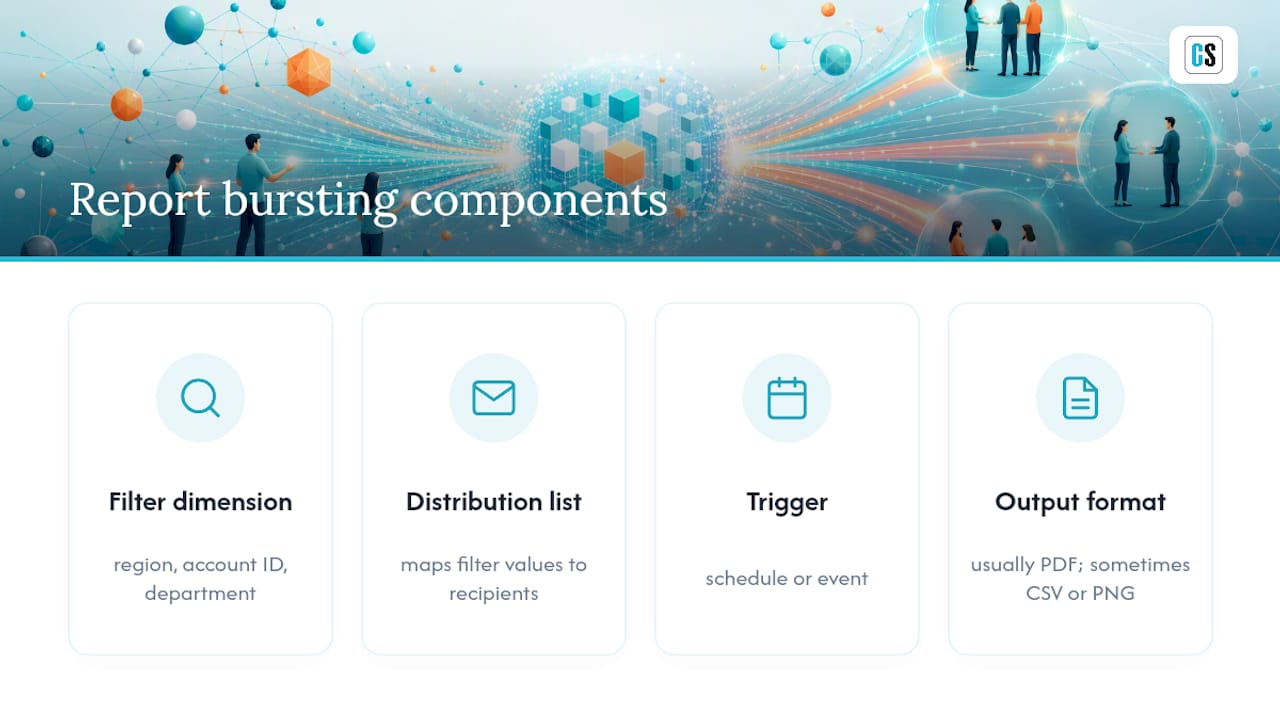
Every bursting setup needs four pieces: a filter dimension (region, account ID, department), a distribution list mapping filter values to recipients, a trigger (schedule or event), and an output format, usually PDF, sometimes CSV or PNG; for an interactive example of dashboard delivery scenarios, see the Data Dashboard | Yakho Telecoms. Tableau's own terminology calls this subscriptions combined with user filters, and understanding that vocabulary matters because it's what you'll search for in Tableau's own documentation and support forums.
Setting Up Native PDF Subscriptions With User Filters
Native subscriptions are the fastest route to tableau report bursting when your recipients are registered Tableau Server or Tableau Cloud users and your list runs in the dozens, not the thousands. No code, no third-party tool, just configuration inside Tableau itself.
Here's the setup sequence:
- Confirm subscriptions are enabled on your Tableau Server or Cloud site (this is admin-controlled).
- Build a user filter or parameter that maps a data field, like a sales region, to the Tableau username of each viewer.
- Publish the workbook with that filter applied and tested against a few sample users.
- Create a PDF subscription on the filtered view, selecting the frequency you need.
- Add recipients individually or by group, then send a test subscription before scheduling it live.
Check your version before you start. PDF subscription support arrived in Tableau 2019.3, so anything older won't have it, and some Cloud site configurations restrict subscription behavior differently than Server. For the full walkthrough on scheduling and exporting from the server side, scheduling reports in Tableau Server covers the admin console steps in more depth, and how to schedule Tableau reports and export to Excel walks through the alternate export formats subscriptions support.
The catches are real, though:
- Every recipient needs a registered Tableau account. Community threads on setups like this confirm Desktop alone was never built for scheduled email delivery. This is a Server or Cloud subscription feature, not something Desktop does on its own.
- Attachment naming and formatting controls are limited compared to what a script or dedicated tool can do.
- Conditional logic (send only if a threshold is crossed) isn't natively supported.
Pro Tip: Build a dedicated "filter list" view that publishes your current filter values dynamically, rather than hard-coding a list of regions or account names into your user filter. When the business adds a new territory, your subscription setup updates itself instead of breaking silently.
Building Programmatic Bursting With the REST API

Programmatic bursting is the right call when native subscriptions can't do what you need: dynamic recipient lists pulled from a database, external email addresses, custom filenames, or non-PDF outputs like CSV extracts for downstream systems. You trade setup simplicity for control.
The workflow looks the same regardless of which tool you pick:
- Authenticate against Tableau Server or Cloud using the REST API.
- Query a view or data source that lists your current filter values (regions, accounts, whatever drives the personalization).
- Loop through each value, calling the export endpoint to generate a PDF, PNG, or CSV for that specific filter.
- Route each output to its destination, email, SFTP, or a file share, using whatever scripting language handles that step.
Tool choice depends on how much infrastructure you want to maintain. tabcmd works fine for straightforward, single-server scripts you run on a schedule. The REST API directly, or a wrapper library like tableau-api-lib, gives you more programmatic control for anything beyond the basics. Most teams orchestrate the whole thing in Python, since it's the standard language for scripting against Tableau's API and has a large body of community examples to borrow from. If you haven't set up a Python environment for this yet, the official Python download and setup guide is the place to start. Community tutorials built around tabcmd and REST API loops are common enough that you'll find working examples for nearly every filter-and-export pattern you can imagine.
Pro Tip: Schedule your export loop during off-peak hours and paginate your filter list instead of firing every export simultaneously. Hitting the server with fifty export requests at once is the fastest way to trigger timeouts and slow down everyone else using the environment.
When Should You Use an Enterprise Scheduler Instead?
Move to a dedicated scheduler once your bursting needs outgrow what native tools or in-house scripts can reliably handle: data-driven personalization at scale, delivery to people without Tableau logins, password-protected files, or conditional sends based on business rules. This is also where third-party automation tools have grown, filling exactly the gap large organizations hit when they outgrow built-in export features.
Look for these capabilities:
- Dynamic, data-driven filters applied per recipient, not hand-maintained lists.
- Multiple output formats in one workflow, PDF, Excel, and CSV together.
- Delivery to email, SFTP, or network file shares, not just inboxes.
- Conditional triggers that only send a report when a metric crosses a threshold.
- Integration with Active Directory or Azure AD so distribution lists stay current automatically.
The operational upside compounds at scale: centralized governance over who gets what, audit trails showing exactly what was delivered and when, and password protection on sensitive PDFs.
Distribution list management, not the export itself, is usually where DIY bursting setups break down. Mature automation platforms typically tie into Active Directory or Azure AD for role-based targeting, something native subscriptions and most hand-built scripts simply don't do.
ATRS, ChristianSteven Software's Tableau scheduler, is built around this exact gap and carries SOC 2 Type II certification for teams that need that assurance documented.
How to Choose the Right Bursting Method
Start with four constraints before writing a single line of code or clicking through a subscription wizard:
- Are your recipients registered Tableau users, or do some need delivery outside the platform?
- Is your recipient count in the dozens, or pushing into the hundreds?
- Do you need conditional logic, like sending only when a number crosses a limit?
- Does compliance require audited delivery, password protection, or access logs?
Map your answers against the three paths:
- Native subscriptions: best for internal teams, requires Tableau licenses, low dev effort, PDF output mainly, scales to maybe a few dozen recipients comfortably.
- Programmatic (API/tabcmd/tableau-api-lib): best for custom logic, no license requirement for output recipients, moderate to high dev effort, flexible formats, scales well if you build it right.
- Enterprise scheduler: best for scale and compliance, no Tableau license needed for recipients, minimal dev effort, multiple formats, built for hundreds or thousands of recipients with lower ongoing operational overhead.
Common Bursting Pitfalls and How to Fix Them
Most bursting failures trace back to four causes: recipient licensing mismatches, rendering timeouts, email throttling, and filter lists that went stale after the business changed.
- Server overload: stagger your schedules instead of firing every export at the same minute.
- Rendering errors or timeouts: increase render timeout settings, or pre-render heavier views ahead of the scheduled send.
- Email delivery limits: route large batches through an SMTP relay or drop files to a shared location instead of attaching everything to individual emails.
- Broken filters after a data change: maintain a dynamic filter-list view instead of a hard-coded list, so new values show up automatically.
Pro Tip: Log delivery status per recipient, not just per job. When someone says "I never got my report," you want to check one row in a log, not comb through server logs to find where a single email dropped.
A Practical Recommendation
Start with the simplest option that satisfies your requirements, not the most powerful one. Native subscriptions handle more use cases than admins expect, and jumping straight to a custom API build or an enterprise tool often adds overhead you didn't need yet. Escalate only when licensing, scale, or compliance genuinely force your hand. In practice, the operational bottleneck is rarely the export itself, it's keeping distribution lists and recipient access current.
Ready for Production-Grade Tableau Bursting?
Once you're sending personalized reports to hundreds of recipients, some without Tableau logins at all, native subscriptions and homegrown scripts start costing more in maintenance than they save in setup time. That's the specific point where ATRS from ChristianSteven Software earns its place: it handles dynamic, data-driven bursting without you writing or maintaining a single script.

ATRS delivers personalized Tableau reports to email, SFTP, or file shares, applies password protection to sensitive PDFs, supports conditional sends based on your data, and integrates with Active Directory or Azure AD so your distribution lists stay accurate without manual upkeep. If your current setup is held together with a script someone wrote two years ago, see how ATRS automates Tableau report delivery and check whether a trial fits your environment on the ATRS Tableau scheduler page.
Sources
FAQ
What Is Report Bursting?
Report bursting means generating multiple personalized, filtered versions of a single report and delivering each version automatically to a different recipient, based on a filter dimension like region or account.
Can You Automate Reports in Tableau?
Yes, through native PDF subscriptions paired with user filters for registered Tableau users, through custom scripts using the REST API, tabcmd, or tableau-api-lib, or through an enterprise scheduler like ATRS for larger or external distribution.
Can I Burst Reports to People Without Tableau Accounts?
Not with native subscriptions, since those require registered Tableau users. Programmatic scripts or an enterprise scheduler like ATRS can deliver to any email address, SFTP location, or file share regardless of Tableau licensing.
Does Tableau Still Matter for Enterprise Reporting?
Tableau remains widely used across large organizations for interactive analytics, and its REST API and subscription features continue to be the backbone that programmatic and enterprise bursting tools build on top of.
How Do I Scale Bursting Past a Few Hundred Recipients?

Stagger export schedules to avoid server overload, route email through an SMTP relay or file shares instead of individual attachments, and consider an enterprise scheduler once native or scripted approaches start requiring constant manual upkeep.