
Tableau scheduled reporting best practices are defined as the methods, configurations, and governance standards that ensure automated report delivery runs reliably, securely, and at scale. Native Tableau Server and Tableau Cloud scheduling handles straightforward time-based jobs well, but enterprise teams quickly hit its limits when fiscal calendars, event-based triggers, or personalized distribution enter the picture. This guide covers the tools you need, the workflows that prevent bottlenecks, the governance rules that keep automation healthy, and the architectural patterns that carry you beyond what native scheduling can do.
What tools and prerequisites does Tableau scheduled reporting require?
Tableau scheduled reporting starts with a correctly configured environment. Tableau Server or Tableau Cloud must have SMTP set up for email subscriptions, and your data sources must be published to the server rather than embedded in workbooks. Without published data sources, you cannot decouple extract refreshes from report delivery, which is the foundation of every scalable scheduling workflow.
Native Tableau scheduling supports fixed patterns: hourly, daily, weekly, and monthly, plus a "When Data Refreshes" trigger. That covers a large share of everyday reporting needs. The gap appears when you need fiscal-quarter cadences, holiday suppression, or conditional sending based on metric thresholds. Those requirements demand an external orchestration layer.

The table below maps scheduling capability to the right tool tier.
| Requirement | Native Tableau | External orchestration (e.g., ATRS) |
|---|---|---|
| Fixed time-based delivery | Yes | Yes |
| "When Data Refreshes" trigger | Yes | Yes |
| Fiscal calendar or holiday logic | No | Yes |
| Event-based or threshold triggers | No | Yes |
| Bursting to personalized recipients | Limited | Yes |
| Multi-format output (PDF, Excel, CSV) | Limited | Yes |
| Centralized delivery audit log | No | Yes |
ChristianSteven Software's ATRS (Automated Tableau Report Scheduler) fills the gap for teams that have outgrown native subscriptions. It connects directly to Tableau Server or Cloud and adds event-driven scheduling, dynamic recipient filters, and delivery monitoring without replacing the Tableau environment you already have.
Pro Tip: Set up a dedicated service account for all Tableau subscriptions before you build a single schedule. User-based subscriptions break when employees change roles or leave the organization.
How to design efficient Tableau scheduling workflows
Efficient scheduling workflows follow a three-step sequence: refresh the data extract, render the report, then distribute it. Collapsing those steps into a single job is the most common cause of delivery failures and server overload.
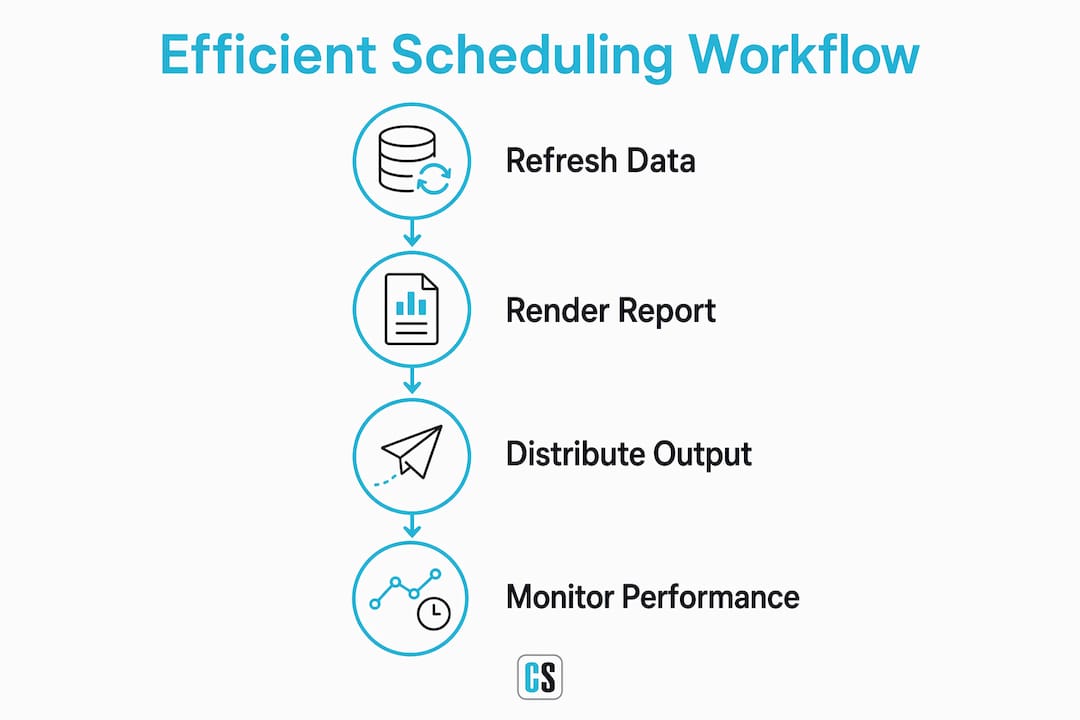
Synchronize extract refreshes before delivery
Publish all data sources to Tableau Server and set extract refresh schedules that complete before any dependent subscription fires. A sales dashboard that refreshes at 6:30 AM should have its subscription set no earlier than 7:00 AM. That 30-minute buffer absorbs refresh delays without requiring manual intervention.
Decoupling refresh and delivery prevents the backgrounder queue from stacking up. When rendering and distribution run as separate controlled batches, you avoid the cascade failure where one slow extract delays every report in the queue.
Stagger your schedule times
Crowding schedules at the top of the hour creates queue bottlenecks and breaks SLAs for critical reports. Stagger jobs at 6:45, 7:00, and 7:15 AM instead of running everything at 7:00 AM. Schedule heavy monthly jobs between midnight and 4:00 AM local time to keep business hours clear.
A practical staggering pattern for a mid-size BI team looks like this:
- 12:00 AM: Run monthly and quarterly extract refreshes for finance and HR workbooks.
- 5:30 AM: Refresh daily operational extracts (sales pipeline, inventory, support queue).
- 6:00 AM: Trigger executive dashboard subscriptions tied to the previous step.
- 6:30 AM: Deliver regional manager reports with row-level security applied per recipient.
- 7:00 AM: Send frontline team snapshots in PDF format to distribution lists.
This sequence keeps the Tableau backgrounder working steadily rather than in spikes.
Implement report bursting for personalized delivery
Bursting replaces hundreds of manual report copies with one master workbook that filters automatically per audience segment. A national sales director gets the full view. Each regional manager gets only their territory. The same workbook, the same schedule, and zero manual slicing.
Native Tableau subscriptions support basic user-level filtering through row-level security, but they do not support dynamic recipient lists, multi-format output per recipient, or conditional sending. For those needs, an orchestration platform handles the bursting logic while Tableau handles the rendering.
Pro Tip: Tie your bursting distribution lists to Active Directory groups rather than static email addresses. When headcount changes, the report routing updates automatically.
What are the best practices for governance and reliability?
Scheduled reports that run without governance become a liability. Stale schedules consume server resources, outdated recipient lists send data to the wrong people, and failed deliveries go unnoticed until a stakeholder complains.
The following practices keep automated reporting healthy over time.
- Use naming conventions. Name every schedule with a pattern that includes the workbook name, frequency, and owner. "Sales_Pipeline_Daily_OwnerJSmith" is findable and auditable. "New Schedule 14" is not.
- Assign an owner to every schedule. Centralized governance with owner assignments prevents orphaned schedules from running indefinitely after the original requester moves on.
- Map access to directory roles. Tie report access to Active Directory or Azure AD groups. When a user changes teams, their report access updates with their directory role, not through a manual ticket.
- Monitor delivery failures actively. Treat scheduled reports as production applications with runbooks and failure alerting. A missed delivery at 6:00 AM should trigger a notification, not a 9:00 AM phone call.
- Run quarterly audits. Review every active schedule each quarter. Retire any schedule that has not been opened by a recipient in 90 days. Unused schedules accumulate technical debt and slow the server.
- Use service accounts for production schedules. Service accounts do not expire with employee turnover. They provide a stable identity for all production report delivery.
Monitoring Tableau backgrounder queues and adjusting schedule timing based on actual load patterns is the difference between meeting SLAs and explaining missed reports to leadership.
Which architectures support enterprise-level Tableau report automation?
Enterprise Tableau automation requires a decoupled architecture. The three layers, data refresh, report rendering, and distribution, must operate independently so a failure in one layer does not cascade into the others.
Native scheduling binds all three layers together. When you force fiscal-calendar logic, holiday suppression, or conditional sending into native Tableau schedules, you get brittle setups that fail quietly. An orchestration layer separates those concerns and makes the automation maintainable.
The decoupled architecture in practice
The data layer handles extract refreshes on their own schedule, independent of any downstream report. The rendering layer watches for successful refresh completion before triggering workbook rendering. The distribution layer takes the rendered output and routes it based on recipient rules, format requirements, and delivery channel.
This pattern scales enterprise applications in ways that monolithic, single-job scheduling cannot. When one extract fails, only the reports dependent on that extract pause. Everything else continues on schedule.
How ATRS extends native Tableau scheduling
ChristianSteven Software's ATRS sits between Tableau Server and your recipients. It monitors extract refresh completion, triggers rendering in controlled batches, applies dynamic recipient filters, and routes output to email, network folders, SharePoint, or FTP destinations. When a delivery fails, ATRS retries automatically and logs the failure for review.
Event-based triggers are the clearest example of what native scheduling cannot do. Sending a report only when a KPI crosses a threshold, such as inventory dropping below a reorder point, requires logic that lives outside Tableau. ATRS handles that condition without custom scripting or third-party workflow tools.
The practical result is that one BI team can manage hundreds of personalized report streams from a single governance interface, with full visibility into what ran, what delivered, and what failed.
Key Takeaways
Reliable Tableau report automation requires decoupled architecture, staggered scheduling, and active governance to prevent failures and scale beyond native capabilities.
| Point | Details |
|---|---|
| Decouple refresh and delivery | Run extract refreshes before subscriptions fire to prevent queue failures. |
| Stagger schedule times | Spread jobs across 15-minute intervals and push heavy loads to off-peak hours. |
| Use service accounts | Replace user-based subscriptions with service accounts to survive staff changes. |
| Govern with quarterly audits | Retire unused schedules every quarter to reduce server load and technical debt. |
| Add orchestration for complexity | Use an external platform like ATRS when fiscal calendars, bursting, or event triggers are required. |
Why I think native-only scheduling is a false economy
I have watched BI teams spend weeks building workarounds inside native Tableau scheduling that an orchestration layer would have solved in an afternoon. The appeal of staying native is understandable. Fewer tools mean fewer things to manage, at least in theory.
The reality is different. Aligning report delivery with organizational rhythms sounds obvious, but most teams discover the problem only after a finance director receives a report before the overnight extract finishes. At that point, the fix is reactive and the trust is already damaged.
The governance piece is where I see the most consistent failure. Teams build schedules quickly and govern them slowly. A quarterly audit feels like overhead until you find 200 active schedules, 60 of which belong to employees who left the company. That is not a scheduling problem. It is a process problem that scheduling surfaces.
My honest recommendation: treat your first 20 schedules as a pilot. Define naming conventions, assign owners, and set up failure alerting before you scale. The teams that do this work upfront spend far less time firefighting at 200 schedules than the teams that skip it. The architecture matters, but the discipline around it matters more.
— Bobbieann Gordon
How ATRS takes Tableau scheduling further
ChristianSteven Software built ATRS specifically for teams that need more than native Tableau subscriptions can deliver.
[IMAGE:cta_image]
ATRS connects to Tableau Server or Tableau Cloud and adds bursting, multi-format delivery, event-based triggers, and a centralized audit log. You can automate and distribute Tableau reports to hundreds of recipients in personalized formats without building custom scripts or managing fragile workarounds. SOC 2 Type II certified and backed by more than two decades of BI automation experience, ChristianSteven Software gives enterprise teams the governance controls and delivery reliability that native scheduling was never designed to provide.
FAQ
What is Tableau scheduled reporting?
Tableau scheduled reporting is the automated delivery of Tableau workbooks or views to recipients at defined times or when data refreshes. It removes the need for manual report distribution.
Why does Tableau need external scheduling tools?
Native Tableau scheduling supports only fixed time-based and data-refresh triggers. Fiscal calendars, event-based conditions, and personalized bursting require an external orchestration platform.
What is report bursting in Tableau?
Report bursting delivers a single master workbook as personalized copies filtered per recipient. It replaces hundreds of manually prepared reports with one automated, parameterized source.
How often should I audit Tableau schedules?
Run a full schedule audit every quarter. Retire any schedule with no recipient engagement in 90 days to reduce server load and eliminate stale data delivery.
What is the safest account type for production Tableau schedules?
Service accounts are the correct choice for production schedules. They do not expire with employee turnover and provide a stable, auditable identity for all automated report delivery.