
Report scheduling software is defined as an automation tool that generates, formats, and delivers business reports to designated recipients on a predefined schedule, without manual intervention. For data analytics and business intelligence teams, this function is not a convenience. It is a core operational requirement. PwC estimates that automating repetitive reporting tasks can recover up to 40% of finance staff time, freeing analysts to focus on interpretation rather than production. The role of report scheduling software extends beyond simple delivery. It governs data accuracy, enforces reporting cadence, and integrates directly into enterprise BI pipelines built on platforms like Power BI, Tableau, and Crystal Reports.
How does report scheduling software improve reporting efficiency?
Automated report scheduling eliminates the single biggest drain on BI team productivity: manual, repetitive report production. Without automation, analysts pull data, format outputs, and email files on a fixed cycle. Manual reporting workflows can consume over 200 hours annually per report. That figure represents weeks of analyst time spent on work a scheduling engine can handle in seconds.
The efficiency gains come from four specific mechanisms:
- Automated data extraction: The software connects directly to data sources and pulls fresh data at the scheduled time, removing the need for manual exports.
- Consistent formatting: Reports render in the same template every run, eliminating version drift and formatting errors that plague manual processes.
- Timed delivery: Recipients receive reports at a predictable time, which reduces ad-hoc requests and interruptions to the BI team.
- Multi-format output: A single scheduled job can produce PDF, Excel, and CSV outputs simultaneously, serving different stakeholder needs from one run.
Predictable report delivery reduces ad-hoc requests and boosts overall team capacity. When stakeholders know a report arrives every Monday at 7:00 AM, they stop sending urgent requests on Friday afternoon. That shift alone changes the working rhythm of an entire analytics team.
Pro Tip: Before automating, audit which reports your team produces manually more than twice per week. Those are your highest-value targets for scheduling, and eliminating them first compounds time savings across the rest of your workflow.

Reporting quality also improves under automation. Human error in copy-paste workflows, date range selection, and filter application disappears when a scheduling engine handles execution. The result is a consistent, auditable record of what was sent, to whom, and when.
What are the common report scheduling challenges?
Report scheduling sounds straightforward until you run it at enterprise scale. Four specific failure modes appear repeatedly in production environments, and each one erodes stakeholder trust if left unaddressed.
Timing races are the most common technical failure. A timing race occurs when a report triggers before its underlying data refresh completes. The result is a report populated with stale or empty data, delivered to executives who assume it reflects current reality. The fix is sequencing: schedule report runs to start only after the data refresh confirms completion, or insert a buffer window between the two jobs.
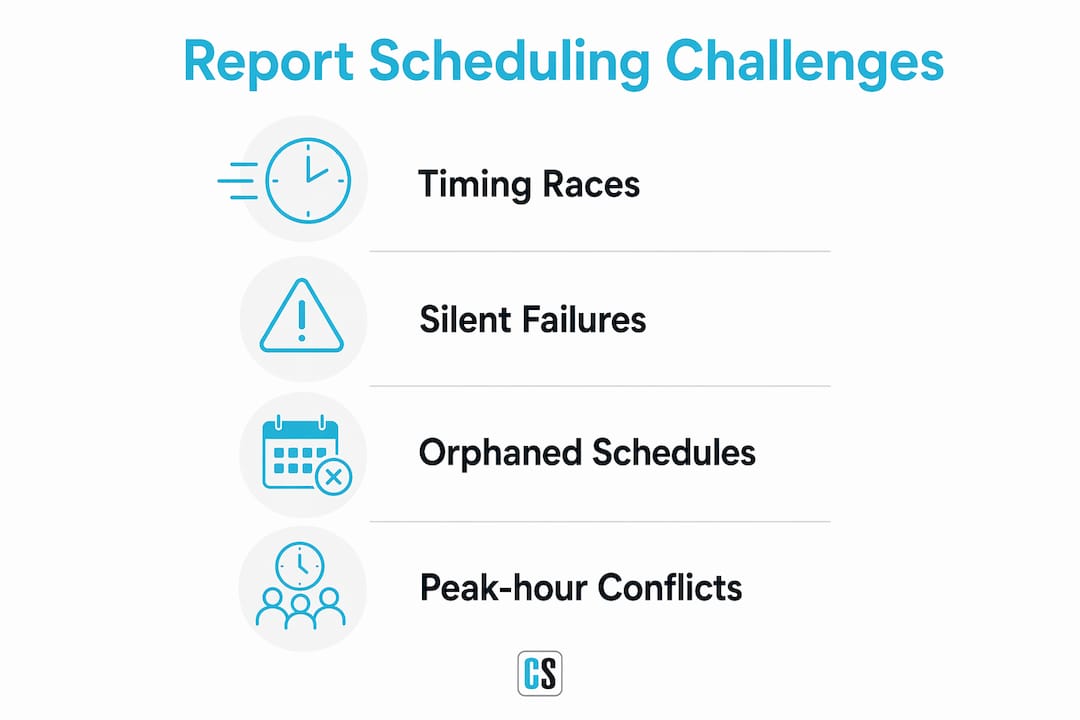
Silent failures are more dangerous than timing races because they are invisible. Silent failures send empty or incomplete reports without any alert to the sender or recipient. Stakeholders receive a blank file and either act on missing data or lose confidence in the reporting system entirely. No-data guards prevent this by flagging empty outputs and routing them to an exception queue instead of the distribution list.
Orphaned schedules accumulate over time in any organization with staff turnover. Orphaned schedules from departed staff waste system resources and clutter the scheduling environment. Assigning explicit ownership to every schedule and setting recurring audit review dates keeps the environment clean and accountable.
Peak-hour conflicts degrade system performance for all users. Scheduling report refreshes during peak user access causes slowdowns and failures that affect the entire BI platform. Staggering heavy report jobs to run during off-peak hours, such as early morning or overnight, protects platform stability.
Pro Tip: Map your organization's data refresh schedule and user login patterns before setting any report schedule. A simple spreadsheet showing refresh windows and peak hours prevents the majority of timing conflicts before they occur.
Addressing these four challenges requires both technical configuration and governance policy. Software features handle the technical side. Ownership rules and audit cycles handle the governance side. Both are necessary.
What features and best practices matter most for implementation?
Effective report scheduling software supports two trigger types: time-driven and event-driven. Time-driven triggers fire at a set clock time or calendar interval. Event-driven triggers fire when a specific condition is met, such as a data refresh completing or a threshold being crossed. Enterprise environments need both.
The following capabilities define a production-grade scheduling system:
- Dependency management: The scheduler waits for upstream jobs to finish before running downstream reports. This directly prevents timing races.
- Exception handling and alerting: Failed jobs generate immediate notifications to the schedule owner, not silent entries in a log file no one reads.
- Audit trails: Every report run is logged with a timestamp, recipient list, output format, and success or failure status. This log is the foundation of reporting governance.
- Conditional delivery: Reports only send when data meets defined criteria. Empty datasets trigger an alert, not a delivery.
- Role-based access control: Only authorized users can create, modify, or delete schedules. This prevents unauthorized changes and supports SOC 2 compliance requirements.
| Feature | Governance benefit |
|---|---|
| Dependency management | Prevents stale data in delivered reports |
| Audit trails | Provides evidence for compliance reviews |
| No-data guards | Stops empty reports from reaching stakeholders |
| Ownership assignment | Eliminates orphaned schedules over time |
| Role-based access | Restricts schedule changes to authorized users |
The best practice for implementation is to start with the most painful report first. Pick the one report your team dreads producing every week, automate it completely, and measure the time recovered. That success builds internal support for expanding automation to the next report in the queue. Teams that try to automate everything at once typically stall. Teams that automate one report at a time compound their gains quickly.
ChristianSteven Software's PBRS for Power BI and ATRS for Tableau Reports both support dependency management, conditional delivery, and audit logging out of the box. For teams running Crystal Reports, the Crystal Reports scheduling guide covers how to identify and automate the highest-impact repetitive reports first.
How does report scheduling fit into broader BI and analytics workflows?
Report scheduling software and BI visualization tools solve different problems. A platform like Power BI or Tableau excels at interactive exploration. Report scheduling software excels at reliable, governed delivery. The two functions are complementary, not interchangeable.
The quality of scheduled reports depends entirely on the data pipeline feeding them. A scheduling engine that pulls from an inconsistent or poorly governed data source will deliver consistent reports with inconsistent data. Clean, standardized pipelines are a prerequisite, not an afterthought. Teams that invest in data quality upstream see immediate improvements in the trustworthiness of their scheduled outputs.
In practice, most enterprise BI teams use scheduling software as the final layer in a three-part stack: data pipeline, BI visualization layer, and automated delivery. The scheduling layer reads from the BI tool's data model, renders the report, and distributes it. This architecture means that automating Power BI report delivery requires understanding both the Power BI data model and the scheduling engine's trigger logic. Neither works well without the other.
Pro Tip: Treat your scheduling layer as a governance checkpoint, not just a delivery mechanism. Every scheduled report should have a defined owner, a documented data source, and a review date. That discipline prevents the technical debt that accumulates when scheduling environments grow without oversight.
Scheduling also integrates with automated publishing workflows that distribute content across multiple channels simultaneously. For BI teams managing reports across email, SharePoint, and internal portals, a unified scheduling layer reduces the coordination overhead of multi-channel distribution significantly.
Key Takeaways
Report scheduling software is the operational backbone of any BI team that needs consistent, governed, and timely report delivery at scale.
| Point | Details |
|---|---|
| Time recovery is measurable | Automating repetitive reports can recover up to 40% of finance staff time, per PwC. |
| Timing races cause bad data | Sequence report runs after data refresh completes to prevent stale outputs. |
| Silent failures destroy trust | Use no-data guards to flag empty reports instead of delivering them silently. |
| Start with the hardest report | Automate your most painful weekly report first to build momentum and measure ROI. |
| Governance requires ownership | Assign an explicit owner and review date to every schedule to prevent orphaned jobs. |
What I've learned after years of watching BI teams automate reporting
The most common mistake I see BI teams make is treating report scheduling as a technical task rather than a governance decision. They configure a cron job, point it at a dataset, and call it done. Six months later, the scheduling environment is full of orphaned jobs, nobody knows who owns what, and stakeholders are receiving reports that no longer reflect current business logic.
The teams that get this right treat every scheduled report as a contract. There is a named owner, a documented data source, a defined recipient list, and a review date. When the contract expires, the schedule gets renewed or retired. That discipline sounds bureaucratic until you see what happens without it.
The second thing I've learned is that automation amplifies whatever is already true about your data. If your pipeline is clean, scheduled reports build trust fast. If your pipeline has gaps, automation delivers those gaps to executives on a reliable schedule. Fixing data quality before automating is not optional. It is the prerequisite that determines whether your scheduling investment pays off or backfires.
Start with one report. Make it perfect. Then expand. The teams that try to automate their entire reporting catalog in a single project almost always stall. The teams that pick their most painful report, automate it completely, and measure the result build the internal credibility to keep going.
— Bobbieann Gordon
ChristianSteven Software: purpose-built for BI report automation
ChristianSteven Software has spent more than two decades building scheduling and delivery automation specifically for enterprise BI environments.

ATRS automates Tableau report distribution with support for conditional delivery, multi-format output, and audit logging. PBRS handles Power BI scheduling with dependency management and role-based access control. CRD covers Crystal Reports scheduling for organizations running legacy reporting stacks alongside modern BI platforms. All three products carry SOC 2 Type II certification, which means your scheduling environment meets the security and availability standards enterprise compliance teams require. If your team is ready to move from manual report production to governed automation, ChristianSteven Software is the place to start.
FAQ
What is report scheduling software?
Report scheduling software is an automation tool that generates and delivers business reports to defined recipients on a set schedule, without manual effort. It connects to data sources, renders reports in specified formats, and distributes them via email, file share, or portal.
Why do finance teams need report scheduling?
Finance teams need report scheduling because manual report production consumes significant analyst time. PwC estimates that automating financial reporting tasks can recover up to 40% of staff time, shifting capacity from production to analysis.
What causes silent failures in scheduled reports?
Silent failures occur when a scheduled report runs on empty or incomplete data and delivers without triggering any alert. No-data guards prevent this by routing empty outputs to an exception queue rather than the recipient list.
How do I avoid timing races in report scheduling?
Avoid timing races by sequencing report runs to start only after the upstream data refresh confirms completion. Adding a buffer window between the refresh job and the report job provides additional protection against premature execution.
What is an orphaned schedule?
An orphaned schedule is a report job that continues running after its original owner has left the organization, with no active manager or defined purpose. Assigning explicit ownership and setting recurring audit review dates prevents orphaned schedules from accumulating.