
TL;DR:
- Data-driven report delivery automates sending reports only when specific data conditions are met, reducing unnecessary notifications. It enables personalized, timely updates through techniques like report bursting and data-layer filtering, supporting various BI tools. This approach improves decision speed, reduces workload, and enhances report relevance across organizations.
Data-driven report delivery is defined as the automated process of generating and distributing reports triggered by specific data conditions rather than fixed time intervals. When a KPI crosses a threshold, a report fires. When inventory drops below a set level, the relevant manager receives an alert with supporting data. This approach eliminates the noise of scheduled reports that arrive regardless of whether anything meaningful has changed. ChristianSteven Software has built its entire product line around this principle, delivering the right report to the right person at the right moment across Power BI, Tableau, Crystal Reports, and SSRS environments.
What is data-driven report delivery, and how does it work?
Data-driven report delivery automates report generation and distribution based on real-time data conditions rather than a calendar. A report is sent only when the underlying data meets a predefined rule, such as a sales figure falling below target or a compliance metric exceeding a limit. That condition-based trigger is the defining feature that separates this method from conventional scheduled reporting.
The practical result is a reporting system that behaves like a well-trained analyst. It monitors your data continuously and speaks up only when something worth your attention has happened. Decision-makers stop wading through weekly reports full of unchanged numbers and start receiving targeted updates that demand a response.
This approach also maps directly to the industry concept of event-driven architecture, where systems react to state changes rather than polling on a clock. In reporting terms, the "event" is a data condition, and the "response" is a formatted, personalized report delivered to a specific recipient through a specific channel.
How does data-driven delivery differ from traditional report scheduling?
Traditional report scheduling sends reports on a fixed cadence, every Monday morning, the first of the month, or every hour, regardless of whether the data has changed. The recipient receives the same report whether revenue is up 30% or down 30%. That indifference to data state is the core weakness of time-based scheduling.
Data condition triggers shift focus from "when should this run?" to "when does this matter?" A report runs when a KPI hits a threshold, when a dataset updates with new records, or when a business rule evaluates as true. The result is a smaller volume of reports, each carrying higher signal value.
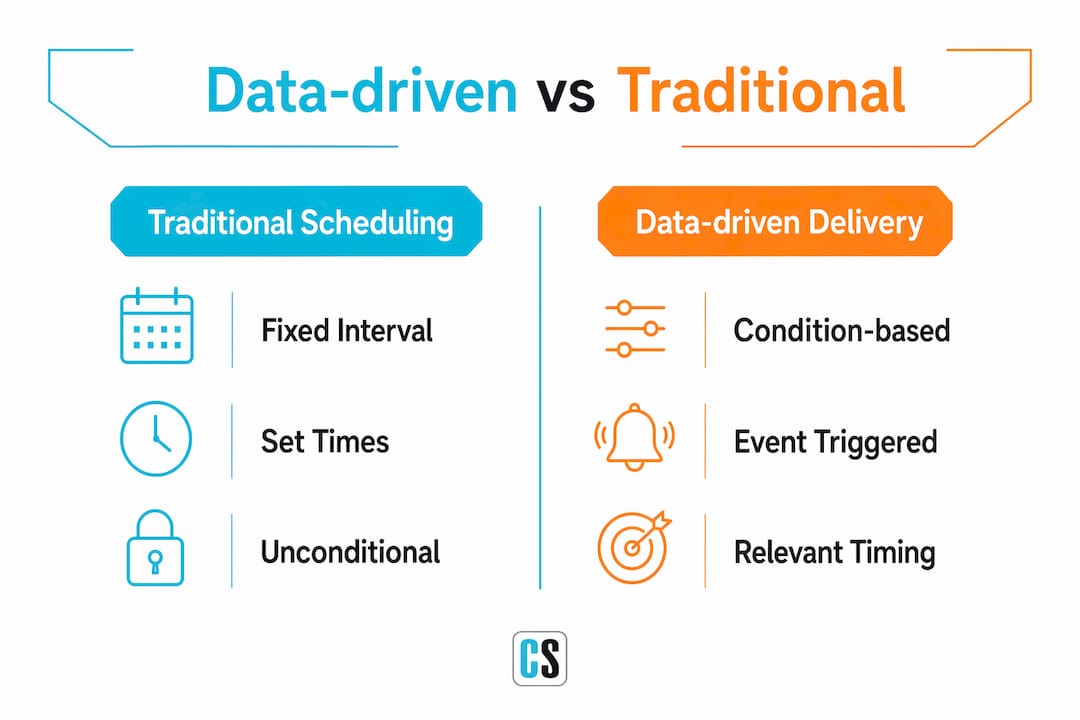
Report fatigue is a real organizational cost. When teams receive too many reports with too little relevance, they stop reading them. Data-driven delivery directly addresses this by ensuring reports arrive only when they carry meaningful updates.
| Dimension | Traditional scheduling | Data-driven delivery |
|---|---|---|
| Trigger | Fixed time interval | Data condition or KPI threshold |
| Relevance | Consistent regardless of data state | High, fires only when data warrants it |
| Volume | High, often redundant | Lower, each report carries signal |
| Recipient targeting | Broad distribution lists | Personalized per data slice |
| Maintenance | Manual list updates required | Self-maintaining via metadata mapping |
What technologies and techniques enable data-driven report delivery?
Report bursting is the foundational technique. A single master report is filtered per recipient using row-level security, producing personalized output for each stakeholder without requiring a separate report file for each person. A national sales director receives the full picture. Each regional manager receives only their territory. One report template, many personalized outputs, zero manual duplication.

Row-level security applied at the data layer, not at delivery time, is what makes this approach scale. Filtering at delivery time means someone must manually maintain which report goes to whom. Filtering at the data layer means the system enforces personalization automatically, and adding a new recipient requires only a database record, not an IT ticket.
Dynamic recipient targeting uses metadata or XML tag mappings linked to existing database records. When a new employee joins a team, their report routing is established automatically based on their role and department attributes in the system. No one needs to manually add them to a distribution list.
The delivery pipeline itself supports multiple output formats and channels:
- PDF and Excel for formal reporting and archiving
- Image formats for embedding in dashboards or email previews
- Live links for recipients who need real-time data access
- Email, Slack, and webhooks for channel-appropriate distribution
ChristianSteven Software's PBRS for Power BI and CRD for Crystal Reports both support conditional delivery and data-driven bursting, including dynamic recipient list updates that require no manual intervention after initial setup.
Pro Tip: Maintain your recipient list inside your existing HR or CRM database rather than in a static spreadsheet. When your scheduling engine reads from a live database, new hires, role changes, and departures update report routing automatically.
What are the main benefits of data-driven report delivery?
The most direct benefit is time. Organizations using automated data-driven reporting reduce manual interpretation time significantly, compressing the gap between data discovery and action from weeks to days. Analysts spend less time assembling and distributing reports and more time interpreting what the data means.
The second benefit is alignment. Automated reports create a shared data language across departments, which reduces attribution disputes and keeps teams working from the same numbers. When sales, finance, and operations all receive the same consistently formatted report triggered by the same data source, disagreements about "whose numbers are right" largely disappear.
Additional benefits that decision-makers consistently report include:
- Faster feedback loops. Condition-based triggers mean a problem surfaces in a report within minutes of appearing in the data, not at next Monday's meeting.
- Higher report engagement. Recipients read reports that arrive because something changed. They ignore reports that arrive because it is Tuesday.
- Reduced operational overhead. Eliminating manual report assembly frees analyst capacity for higher-value work.
- Better data governance. Row-level security and automated routing reduce the risk of sensitive data reaching the wrong recipient.
The exponential growth of data volume across organizations makes manual reporting increasingly unsustainable. Automation is not a convenience at this scale. It is the only way to maintain reporting quality without adding headcount.
How can organizations implement data-driven report delivery effectively?
Implementation succeeds when organizations treat it as a process redesign, not just a software installation. The steps below reflect what works in practice.
-
Audit your current report catalog. Identify which reports are read, which are ignored, and which trigger actual decisions. This audit reveals where data-driven triggers will have the most impact and which reports can be retired entirely.
-
Define your data conditions. For each report that survives the audit, specify the exact condition that should trigger delivery. A threshold, a record count change, a date-based business rule, or a combination. Vague triggers produce vague results.
-
Embed filtering at the data layer. Configure row-level security in your BI tool before connecting your scheduling engine. Filtering at the data layer is the difference between a system that scales and one that requires constant manual maintenance.
-
Connect a scheduling engine that supports dynamic delivery. Tools like ChristianSteven Software's PBRS for Power BI or CRD for Crystal Reports support conditional scheduling and dynamic bursting, including recipient list management tied to live database records.
-
Pilot with one high-value report. Choose a report that currently causes friction, arrives too late, or goes to too many people. Run the data-driven version in parallel with the old version for two weeks. The comparison makes the case for broader rollout without requiring a business case document.
-
Measure adoption and refine triggers. Track open rates, downstream actions, and stakeholder feedback. Adjust thresholds and recipient targeting based on real usage data, not assumptions.
The most common implementation failure is skipping step three. Organizations that filter at delivery time instead of at the data layer create a maintenance burden that grows with every new recipient and every new report. The key challenge is not data availability but transforming surplus data into structured reports via automation. That transformation requires the right architecture from the start.
Pro Tip: Integrate your scheduling engine with your existing workflow tools from day one. When a triggered report can automatically post to a Teams channel, create a Jira ticket, or update a CRM record, adoption accelerates because the report becomes part of the work, not a separate communication.
You can also explore automating Power BI report distribution as a practical starting point if Power BI is already in your environment.
Key Takeaways
Data-driven report delivery is the most direct way to close the gap between when data changes and when decision-makers act on it.
| Point | Details |
|---|---|
| Condition-based triggers replace fixed schedules | Reports fire when data conditions are met, not when a clock says so. |
| Report bursting enables personalization at scale | One master report, filtered per recipient, eliminates manual duplication. |
| Data-layer filtering is non-negotiable | Row-level security at the source is what makes personalized delivery sustainable. |
| Automation reduces time from insight to action | Compressing the data-to-decision gap from weeks to days is a measurable operational gain. |
| Dynamic recipient mapping removes manual overhead | Metadata-linked routing means new employees receive the right reports without IT intervention. |
Why most organizations are still thinking about this the wrong way
I have spent years watching organizations invest in BI tools and then continue to run reports on a Monday morning schedule because "that's how we've always done it." The technology changes. The mental model does not. That gap is where most of the value gets lost.
The mistake I see most often is treating data-driven delivery as a feature to turn on rather than a reporting philosophy to adopt. Teams configure a few threshold alerts, call it done, and leave 80% of their report catalog on fixed schedules. The result is a hybrid system that delivers the worst of both worlds: some reports arrive too late, others arrive too often, and nobody is quite sure which is which.
The harder and more valuable work is redesigning the report catalog itself. Ask which reports exist because someone once needed them versus which reports drive decisions today. That question is uncomfortable because it often reveals that a significant portion of your reporting infrastructure serves no one. Data-driven delivery gives you the technical means to fix this. But the fix requires the organizational will to retire reports that have outlived their purpose.
The organizations I have seen get this right share one trait: they treat the reporting system as a communication system. Every report is a message. A message should be sent when there is something to say, not because it is Tuesday. When you build your delivery logic around that principle, the technology choices become straightforward.
— Christian Ofori-Boateng
How ChristianSteven Software automates data-driven report delivery
ChristianSteven Software has supported organizations with BI reporting automation for more than two decades, with SOC 2 Type II certification backing its security and reliability claims.

PBRS for Power BI, ATRS for Tableau, and CRD for Crystal Reports each support condition-based scheduling, report bursting, dynamic recipient management, and multi-channel delivery across email, file shares, and collaboration platforms. IntelliFront BI adds real-time KPI dashboards to the mix, giving decision-makers a live view alongside their triggered reports. If you run Tableau, automating your Tableau reports with ATRS is a practical first step. For Crystal Reports environments, the Crystal Reports Scheduler handles conditional delivery and dynamic bursting without custom development.
FAQ
What is data-driven report delivery in simple terms?
Data-driven report delivery is an automated system that sends reports when specific data conditions are met, such as a KPI crossing a threshold, rather than on a fixed schedule. It ensures recipients receive reports only when the data warrants attention.
How does report bursting support personalized delivery?
Report bursting filters a single master report to each recipient's data slice using row-level security, producing personalized output without creating separate report files. This reduces maintenance overhead and scales without manual effort.
What is the difference between scheduled and data-driven reporting?
Scheduled reporting sends reports at fixed intervals regardless of data state. Data-driven reporting fires only when a defined data condition is true, which reduces report volume and increases the relevance of every report that is sent.
Why is row-level security important for data-driven delivery?
Row-level security applied at the data layer enforces personalization automatically and supports data governance compliance. Without it, personalized delivery requires manual maintenance that becomes unsustainable as recipient lists grow.
Which BI tools support data-driven report delivery?
Power BI, Tableau, Crystal Reports, and SSRS all support data-driven delivery when paired with a scheduling engine that handles conditional logic and dynamic recipient management. ChristianSteven Software's PBRS, ATRS, and CRD products extend these platforms with full data-driven scheduling capabilities.