
High volume report bursting means running a single report query once, splitting the results by a delivery key, and automatically routing each personalized slice to the right recipient in the right format. It replaces manual exports and copy-paste distribution lists with a repeatable engine. BI teams and IT operations groups use it to push invoices, regional dashboards, and finance packs to hundreds or thousands of recipients without touching each file by hand.
TL;DR:
- Report bursting processes one report query and splits the results by a key, routing personalized slices automatically to reduce manual effort.
- Delivery metadata must be precisely defined in dedicated tables, including handling multiple formats or destinations for each recipient.
- Staggering and batching large jobs prevent timeouts and failures when dealing with high recipient volumes, especially for complex or visual reports.
- Security best practices require row-level security, encrypted channels, and minimal privileged access to protect sensitive data during distribution.
- ChristianSteven Software offers tools that automate bursting for Power BI, Tableau, and other platforms, supporting multiple formats and delivery channels without scripting.
Table of Contents
- What Is Report Bursting? Core Components Explained
- How Does the Bursting Engine Actually Work?
- Why Do Enterprises Adopt Report Bursting?
- Which Delivery Channels and Formats Should You Use?
- What's the Implementation Checklist Before You Launch?
- How Do You Scale Bursting Without Hitting Timeouts?
- What Are the Most Common Bursting Failures?
- What Security Controls Does Bursting at Scale Require?
- An Operational Take on Bursting at Scale
- Automate High Volume Bursting With ChristianSteven Software
- Where to Learn the Underlying Bursting Mechanics
- Sources
- FAQ
What Is Report Bursting? Core Components Explained
Report bursting works off a data model with two functional halves: the "split by" element and the "deliver by" element. The split defines how one dataset breaks into subsets, usually by customer ID, region, or cost center. The delivery half maps each subset to a destination, a format, and often a template. Oracle's own documentation on bursting describes this as executing the report query once and then dividing the output by a defined key or bursting schema, so the engine never re-runs the underlying query per recipient.
The delivery dataset (sometimes called a delivery XML in tools built on Oracle BI Publisher's model) maps a key value to a channel, a format, and any recipient-specific parameters. That mapping is what lets one master report produce a PDF invoice for one customer, a CSV extract for a partner's automated import, and a PPTX summary for an executive, all from the same underlying query.
Common real-world examples: monthly invoices split by customer account, cost-center expense summaries split by department code, and regional sales dashboards split by territory manager. Each recipient gets only their slice, formatted the way their workflow expects.
How Does the Bursting Engine Actually Work?
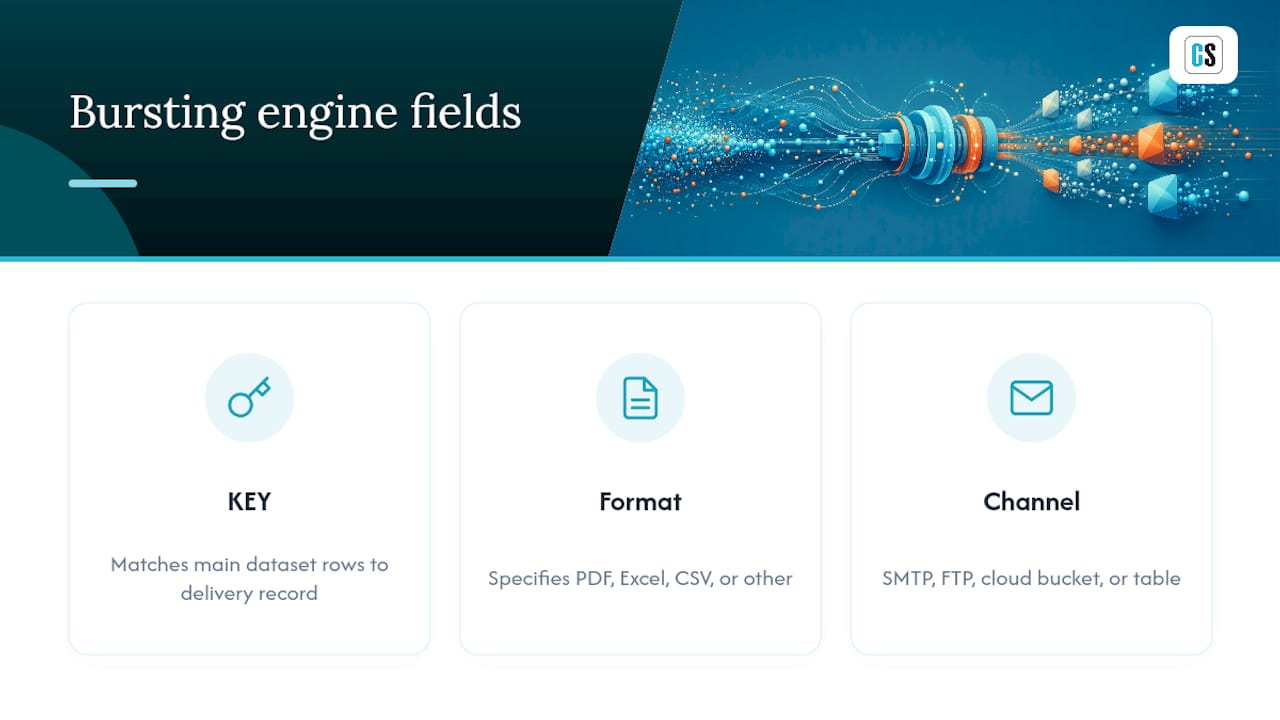
The mechanics come down to three fields the engine reads from a delivery query: the KEY, the OUTPUT_FORMAT, and the delivery channel (DEL_CHANNEL). The KEY matches rows in your main dataset to a delivery record. OUTPUT_FORMAT tells the engine whether to render PDF, Excel, CSV, or another type. DEL_CHANNEL points to where the output goes: an SMTP relay, an FTP server, a cloud bucket, or a database table. Oracle's BI Publisher documentation on adding bursting definitions lays out exactly how this delivery mapping drives formatting and routing per segment, including how different channels use different subsets of parameters.
A simplified delivery query might look like this in pseudocode:
SELECT customer_id AS KEY,
       'PDF' AS OUTPUT_FORMAT,
       'EMAIL' AS DEL_CHANNEL,
       customer_email AS PARAMETER1
FROM delivery_table
WHERE active = 1
The pattern that trips up most first-time implementers: how do you send the same customer's report to two email addresses, or in two formats? You duplicate the key. Return two rows with the same customer_id but different OUTPUT_FORMAT or DEL_CHANNEL values, and the engine treats them as two separate delivery instructions for the same data segment. According to Oracle's JD Edwards documentation on defining bursting and delivery options, this duplication is the standard way to fan one data block out to multiple destinations or formats without touching the master report.
Store this delivery metadata in a dedicated table when your source data doesn't already carry recipient details, rather than trying to bolt delivery logic onto an ad-hoc query every time requirements shift.
Why Do Enterprises Adopt Report Bursting?
The core payoff is decision latency. When a finance close pack has to reach 40 department heads, manual exporting eats hours every close cycle. Bursting cuts that to minutes, and the operational value goes beyond speed. Standardizing delivery through one engine also reduces the version-control chaos of finance teams emailing spreadsheets by hand, since every recipient pulls from the same governed query at the same run time.
Typical enterprise use cases include:
- Billing and invoicing: per-customer PDF invoices generated and emailed automatically each cycle.
- Finance close packs: department-level P&L summaries delivered to dozens of cost-center owners simultaneously.
- Partner reporting: external partners receive CSV or Excel extracts formatted to their system's import requirements.
- Sales territory scorecards: regional managers get dashboards scoped to only their accounts, with no manual filtering.
Fewer manual touchpoints also means fewer copy-paste errors and a consistent audit trail showing who received what, and when.
Which Delivery Channels and Formats Should You Use?
Channel choice depends on recipient type and compliance needs, not just convenience. Internal staff generally work fine with email; external partners often require SFTP or a dedicated API endpoint that matches their ingestion schedule.
Common delivery channels include:
- SMTP/email: fastest to set up, best for internal distribution lists.
- SFTP: standard for external partners with strict security requirements.
- Cloud object storage (S3-style buckets or equivalent): scales well for large files and high recipient counts.
- Database inserts: useful when downstream systems consume report output programmatically.
- REST endpoints: fits event-driven architectures where a report triggers a workflow.
- Collaboration platforms: increasingly common for teams that live in shared workspaces rather than inboxes.
Format selection follows a similar logic. PDF suits fixed-layout documents like invoices where formatting must stay locked. Excel or CSV works better for recipients who need to filter, pivot, or import the data into another system. PPTX fits executive audiences who expect a polished deck rather than a raw table. When requirements call for multiple formats or destinations for the same recipient, duplicate the delivery key as described above, and let the deliver-by element also drive template and locale selection so a French-speaking regional office and an English-speaking one can receive the same underlying data in their own language and layout.
What's the Implementation Checklist Before You Launch?
Rushing a bursting job into production without validating delivery metadata is the single most common cause of first-week failures. Work through this sequence before you schedule anything:
- Verify delivery keys and row-level security so no recipient can access another department's data through a shared query.
- Build the delivery table or query that maps each key to email addresses, formats, and channel parameters, especially when that metadata doesn't already live in your source data.
- Decide your schedule strategy, including whether jobs run on a fixed cadence or fire off event triggers like a data refresh completing.
- Confirm worker capacity matches your recipient count so the engine isn't queuing thousands of deliveries behind a single-threaded process.
- Lock down credentials and endpoint permissions for every channel in use, from SMTP relays to SFTP servers to cloud storage buckets.
- Run a sample burst against a small subset of real recipients, and manually verify both the rendered output and the destination.
- Set up monitoring and alerting so a failed delivery triggers a notification instead of going unnoticed until someone complains.
Many platforms let you build a bursting definition once and reuse it either as a standalone job or as part of a regular scheduled report, according to Oracle's documentation on bursting definitions, so it's worth designing the delivery table with reuse in mind from the start.
Pro Tip: Run your first production burst against a 20 to 50 recipient subset with real addresses and real data, not synthetic test rows. Delivery failures caused by malformed email fields or expired SFTP credentials almost never show up in a dry run against dummy data.
How Do You Scale Bursting Without Hitting Timeouts?
Volume is where most bursting jobs start to strain. A job that runs cleanly for 200 recipients can choke at 20,000 unless you plan for concurrency.
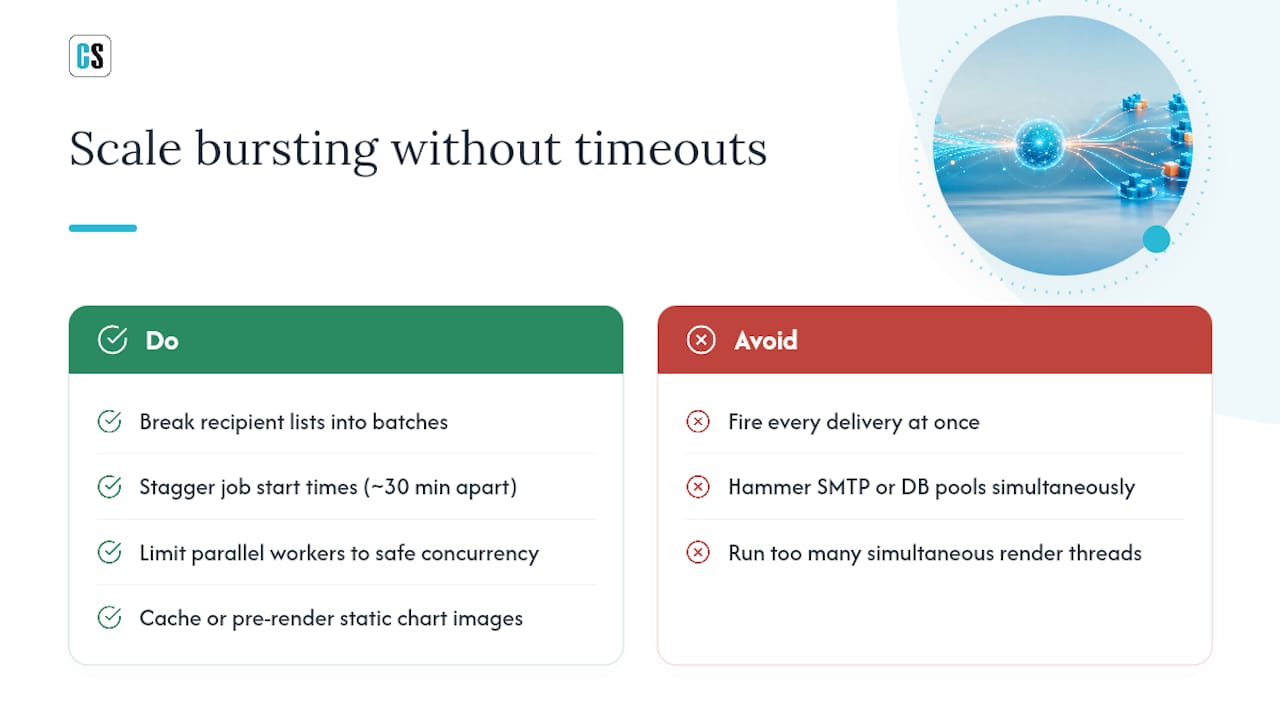
Batching and staggering matter most. Instead of firing every delivery at once, break large recipient lists into batches and stagger job start times so you're not hammering an SMTP relay or a database connection pool simultaneously. Google Cloud's own guidance on scheduling automatic report delivery recommends staggering heavy jobs by roughly 30 minutes apart specifically to avoid timeouts on complex exports.
Parallel workers help throughput, but only within safe concurrency limits; too many simultaneous render threads competing for the same database connection pool causes contention that slows every job down, not just the biggest one. For visually heavy reports, cache or pre-render static chart images rather than regenerating them for every recipient copy.
Watch four metrics as your volume grows: average render latency per report, retry counts, failure rate as a percentage of total deliveries, and queue depth during peak windows. A rising failure rate alongside flat latency usually points to a downstream delivery problem, not a rendering one.
What Are the Most Common Bursting Failures?
Timeouts on large or visually complex reports are the most frequent failure mode. Google Cloud's documentation confirms that dividing reports and staggering schedules helps prevent exports from failing partway through, particularly for reports with heavy charting.
Missing delivery rows cause silent gaps: a customer who should receive a report simply doesn't, because their key never matched a row in the delivery table. Build a validation step that compares expected recipient counts against actual delivery counts after every run.
Mail server limits on attachment size or hourly send volume can throttle large bursts. Chunking outputs, switching to cloud storage links instead of attachments, or delivering via API rather than SMTP all sidestep this. Add retry logic with idempotency checks so a retried delivery doesn't duplicate a report that actually succeeded, and log every delivery attempt for audit purposes.
What Security Controls Does Bursting at Scale Require?
Distributing sensitive data to thousands of recipients raises the stakes on access control. Row-level security must be enforced at the query layer, not just the delivery layer, so a compromised delivery key can't leak another department's numbers. Run the bursting engine under a least-privilege service account, store credentials in a secrets manager rather than a config file, and use TLS or SFTP for every transport channel. For cloud storage delivery, signed short-lived URLs beat permanent public links. Keep audit trails of every delivery event, and favor platforms carrying independent security attestations like SOC 2 Type II when reporting data crosses regulatory boundaries.
An Operational Take on Bursting at Scale
Most bursting failures I've seen traced back to teams skipping the small-scale test and jumping straight to a full production run. Design the delivery table first, treat it as its own governed artifact, and test it against 20 real recipients before you ever schedule 20,000.
The throughput-versus-fidelity trade-off is a real decision, not a technical inconvenience, as highlighted in BabyLoveGrowth's approach to scaling automated publishing workflows. Pre-rendering static visuals buys you speed at high volume, but only if you're honest about which reports actually need pixel-perfect rendering and which don't. Bursting rewards teams that separate the concerns: data extraction, delivery metadata, template selection, and transport, each treated as its own layer rather than one tangled query.
— Christian Ofori-Boateng
Automate High Volume Bursting With ChristianSteven Software
ChristianSteven Software builds bursting directly into report automation instead of leaving it to manual scripts or brittle native scheduling. PBRS handles Power BI and SSRS bursting, ATRS covers Tableau reports, and CRD manages Crystal Reports, while IntelliFront BI centralizes dashboards and KPIs across an organization.

Each product supports flexible schedules, data-driven bursting keys, event triggers, and delivery to multiple formats and destinations, including email, cloud storage, and database targets, without hand-rolled scripting for every recipient list. If your current setup still relies on manual exports or a patchwork of scripts to fan out reports by customer or department, that's the exact gap these tools close. Start a trial and run a burst test against a small recipient subset of your existing reports to see how the delivery mapping holds up at ChristianSteven Software.
Where to Learn the Underlying Bursting Mechanics
- Oracle's bursting documentation covers the split-by-key model in detail.
- Adding bursting definitions explains delivery XML and per-channel parameters.
- Google Cloud's scheduling guidance details timeout mitigation for large exports.
- For teams evaluating automated distribution more broadly, this comparison of enterprise bursting approaches and this piece on why automated distribution makes sense for growing IT teams go deeper on trade-offs.
Sources
- About Bursting — Oracle documentation
- Schedule automatic report delivery — Google Cloud documentation
FAQ
What Does Bursting a Report Mean?
Bursting a report means running one report query a single time, then splitting the output into personalized subsets using a defined key, and delivering each subset automatically to its intended recipient. Oracle's documentation describes this as splitting data by a bursting schema rather than re-running the query for every recipient.
What Are the Four Types of Reports Commonly Bursted?
The most common categories are financial reports like invoices and close packs, operational reports like regional sales scorecards, compliance reports distributed to auditors or regulators, and executive summaries formatted for leadership decks. Each type typically uses a different output format and delivery channel, which bursting handles through the same delivery-key logic.
How Do You Prevent Timeouts on Large Bursting Jobs?
Divide large reports into smaller batches and stagger schedules so heavy jobs don't run simultaneously, a mitigation Google Cloud's documentation recommends for reports with heavy charting. Pre-rendering static visuals and monitoring queue depth during peak windows also reduces timeout risk at high recipient volumes.
Can One Report Be Delivered in Multiple Formats to the Same Recipient?
Yes. Administrators duplicate the delivery key value in the bursting query so the same data segment gets processed once per format or channel, a pattern documented in Oracle's JD Edwards guidance on delivery options. This lets one customer receive both a PDF invoice by email and a CSV extract via SFTP from the same run.
Does ChristianSteven Software Support Report Bursting for Power BI and Tableau?
Yes. PBRS handles bursting for Power BI and SSRS reports, while ATRS covers Tableau reports, both supporting data-driven delivery keys, multiple output formats, and multiple destinations. Pricing for both is available directly through ChristianSteven Software.